Storage
Know exactly what you have, where it is, and what's running low — from your phone.
BusiTools Storage turns your stock into a live picture your whole team can trust.
Organise everything into locations and categories, scan a barcode to pull up
an item in seconds, and update quantities the moment stock moves — no spreadsheets,
no end-of-week guesswork.
Every change is recorded, so you always know who moved what, and when.

Find any item in seconds
Storage
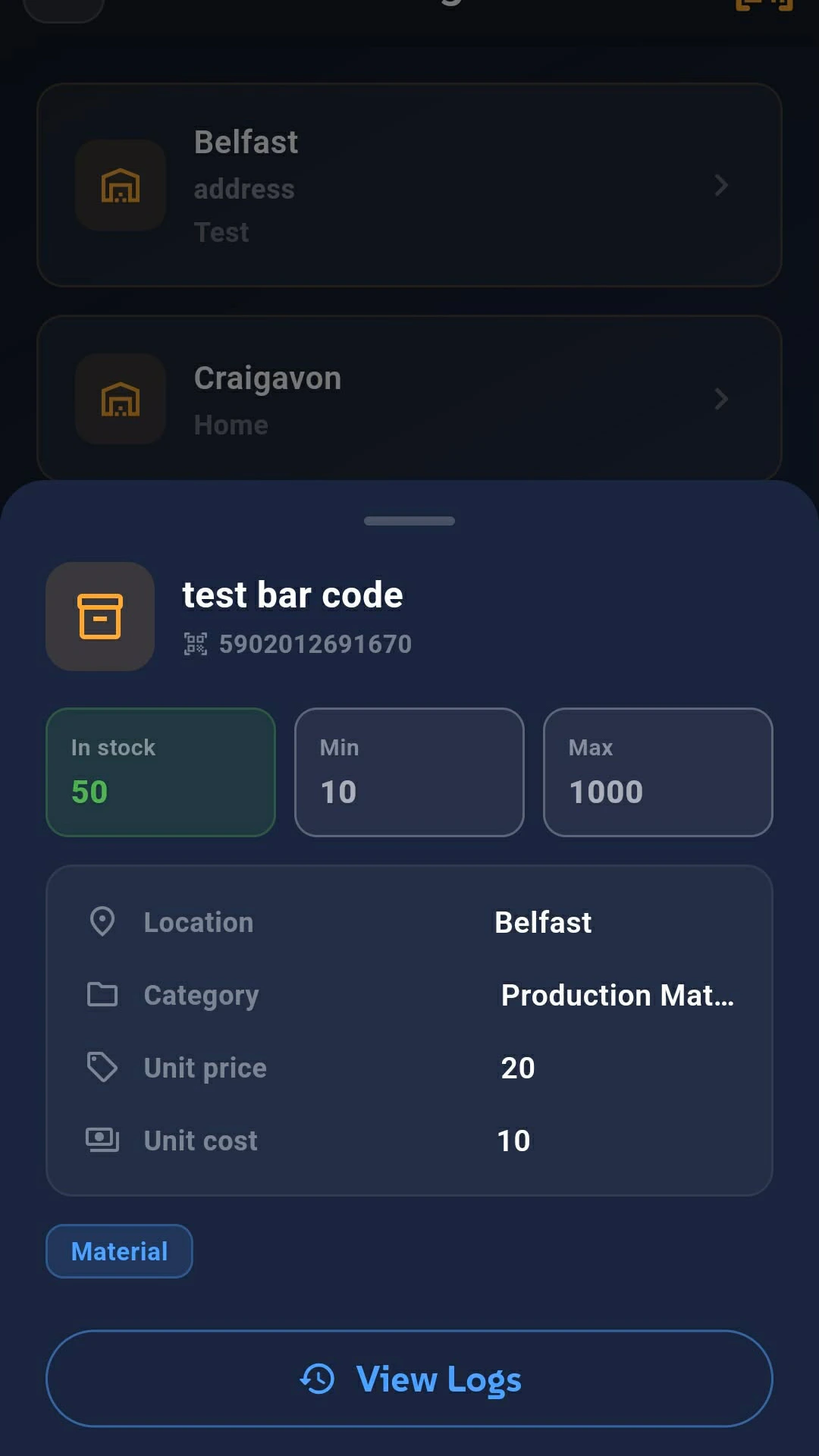
Open an item to see its full record: current stock, unit cost and price, location,
category and stock thresholds — all on one screen.
Tap Scan and point your camera at the product barcode. BusiTools matches it to
the item in your storage and jumps straight to it. Assign a barcode once when you
create the item, and every future check-in, stock count or adjustment is a
one-second scan.
- Instant lookup — no searching, no item codes to remember
- Fewer mistakes — you update the item you actually scanned
- Faster stock takes — walk the shelf, scan, adjust, done


Update stock the moment it moves
Update Stock
Stock changes as work happens — a delivery arrives, a job consumes materials, a
count comes up short. BusiTools gives you one place to record it, right where you're
standing.
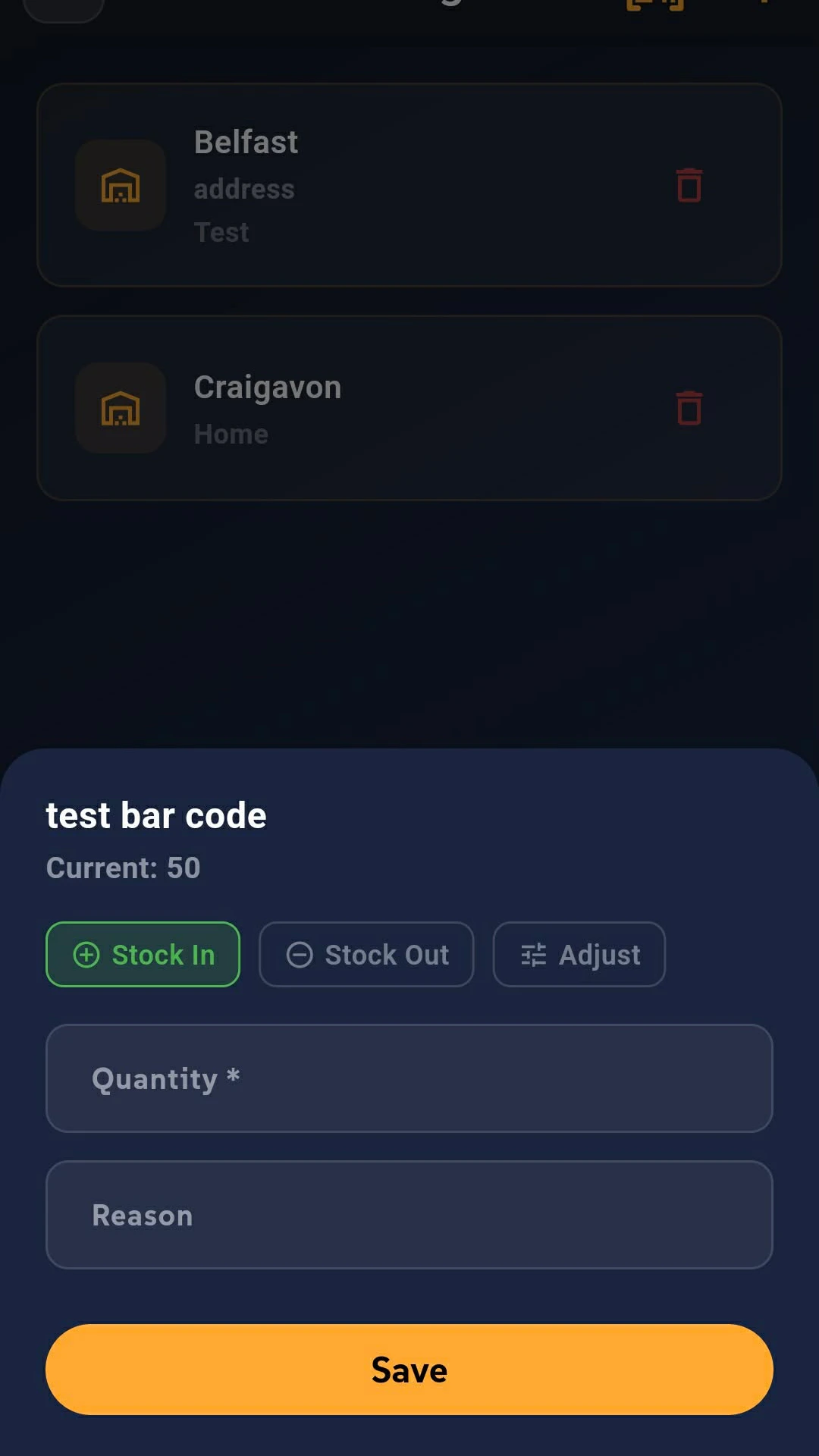
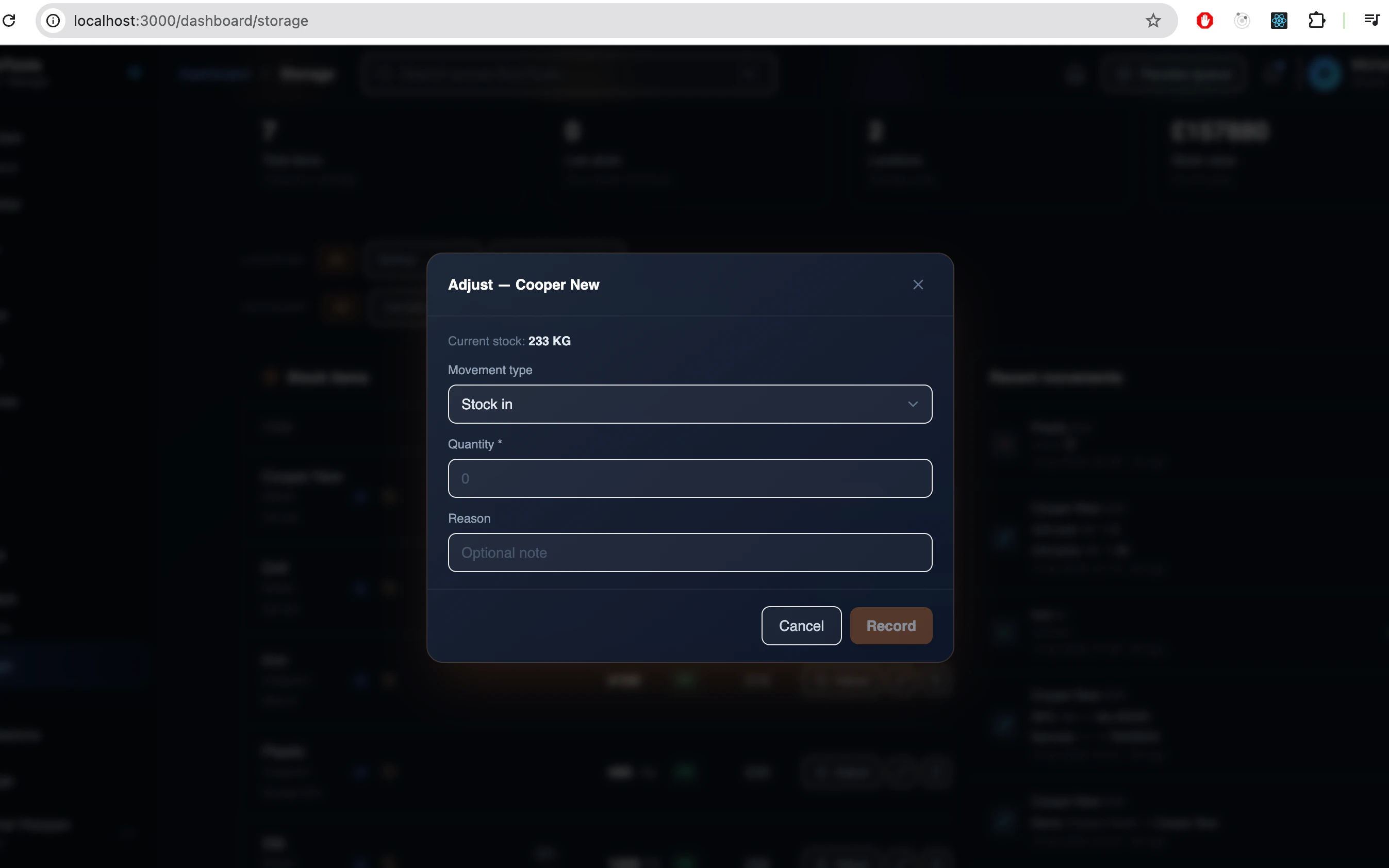
Choose the movement type, enter the quantity and add a short reason. The item's
balance updates immediately for everyone in the group.
- Stock In — deliveries and returns
- Stock Out — items used, sold or issued to a job
- Adjust — corrections after a physical count
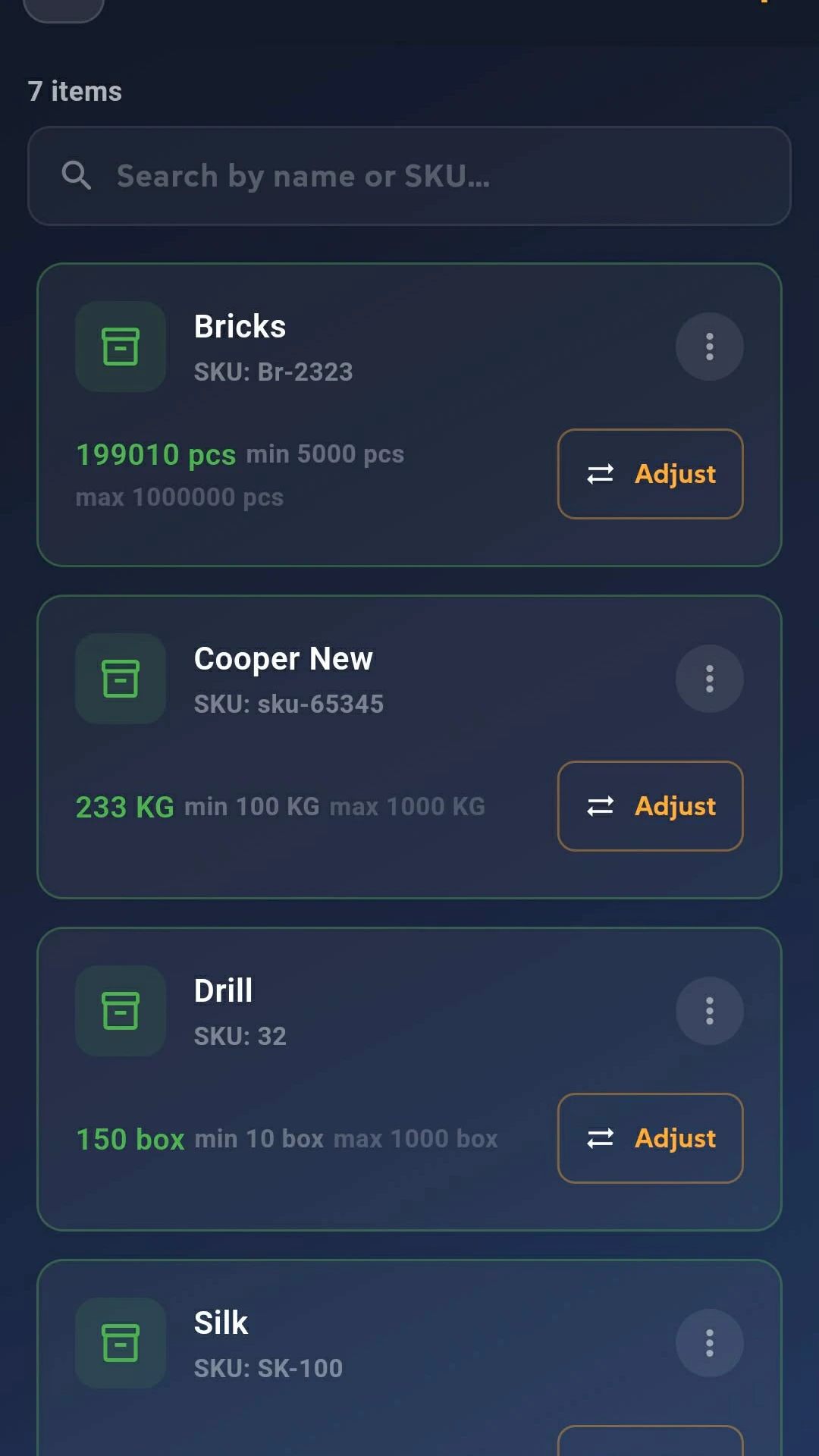
Browse a category to see every item inside it with its live quantity, and adjust
straight from the list. Items that fall below their minimum stock level are
flagged so you can reorder before you run out.
The full picture, on a bigger screen
The mobile app is built for the shelf. The desktop dashboard is built for the
office — the same live data, with room to see all of it at once.
Sign in at app.busitools.net as an owner, or as a manager with full access
to Storage, and you get the complete toolset: the full item table, setup dialogs,
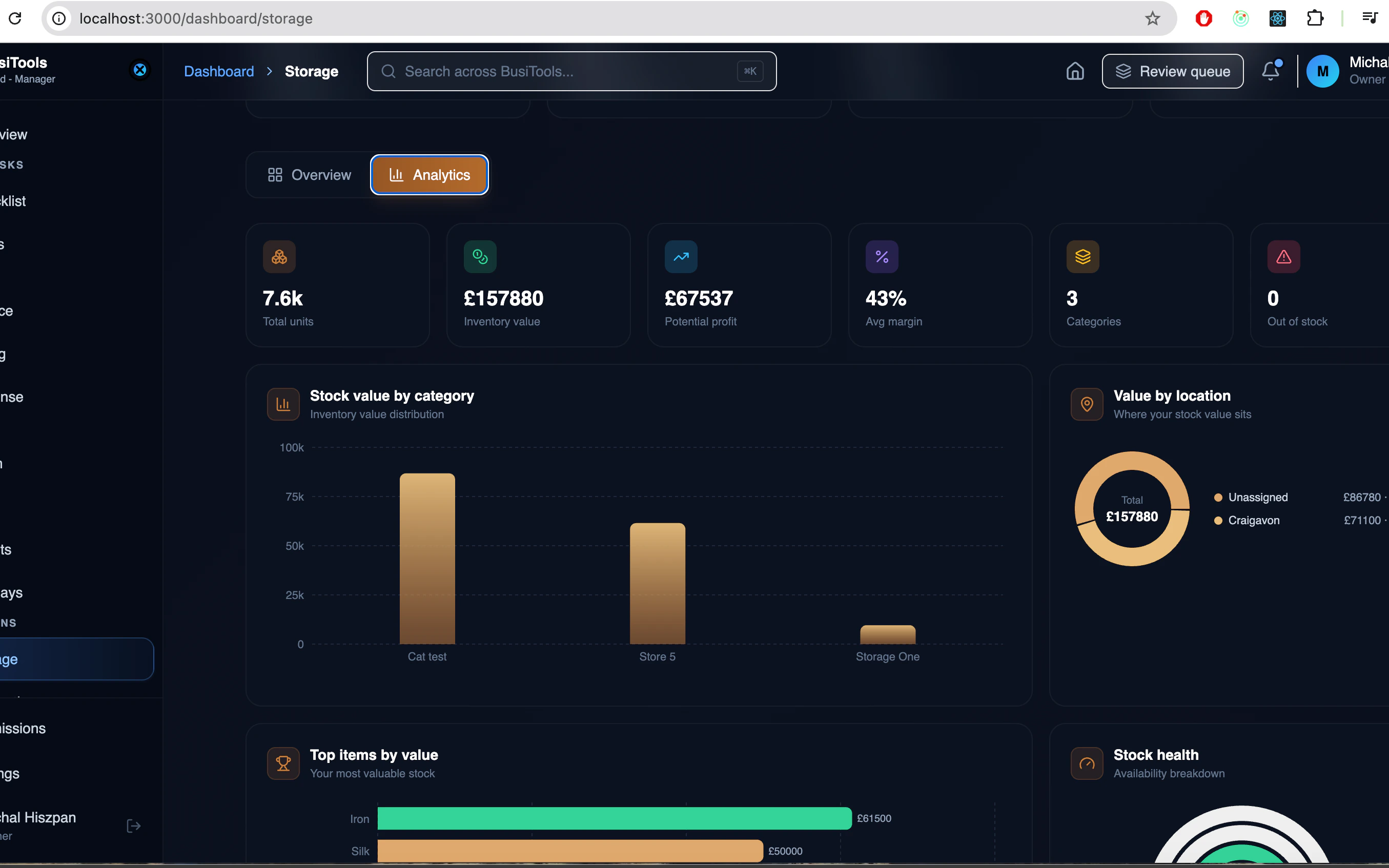
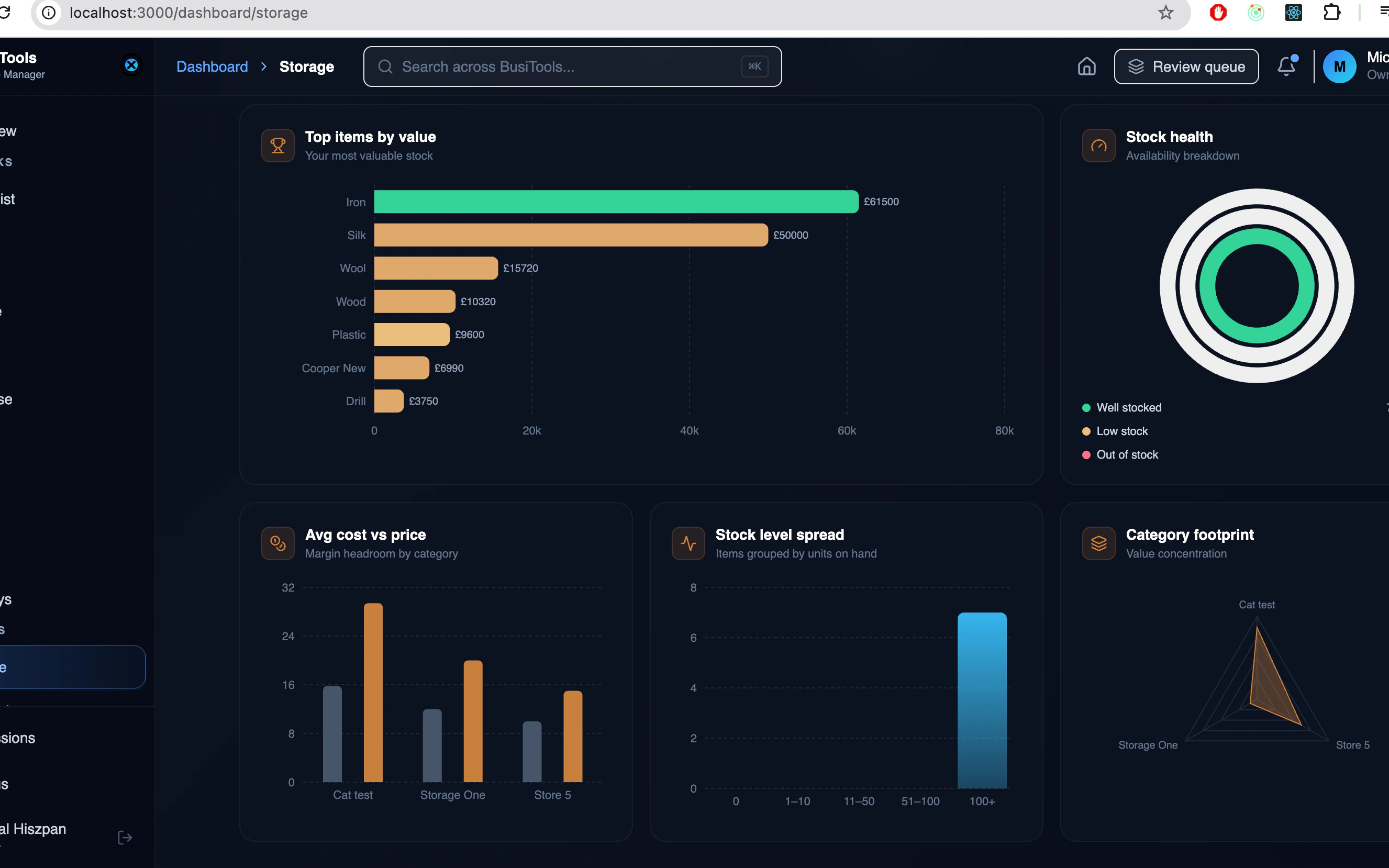
bulk views and every chart your stock can produce.
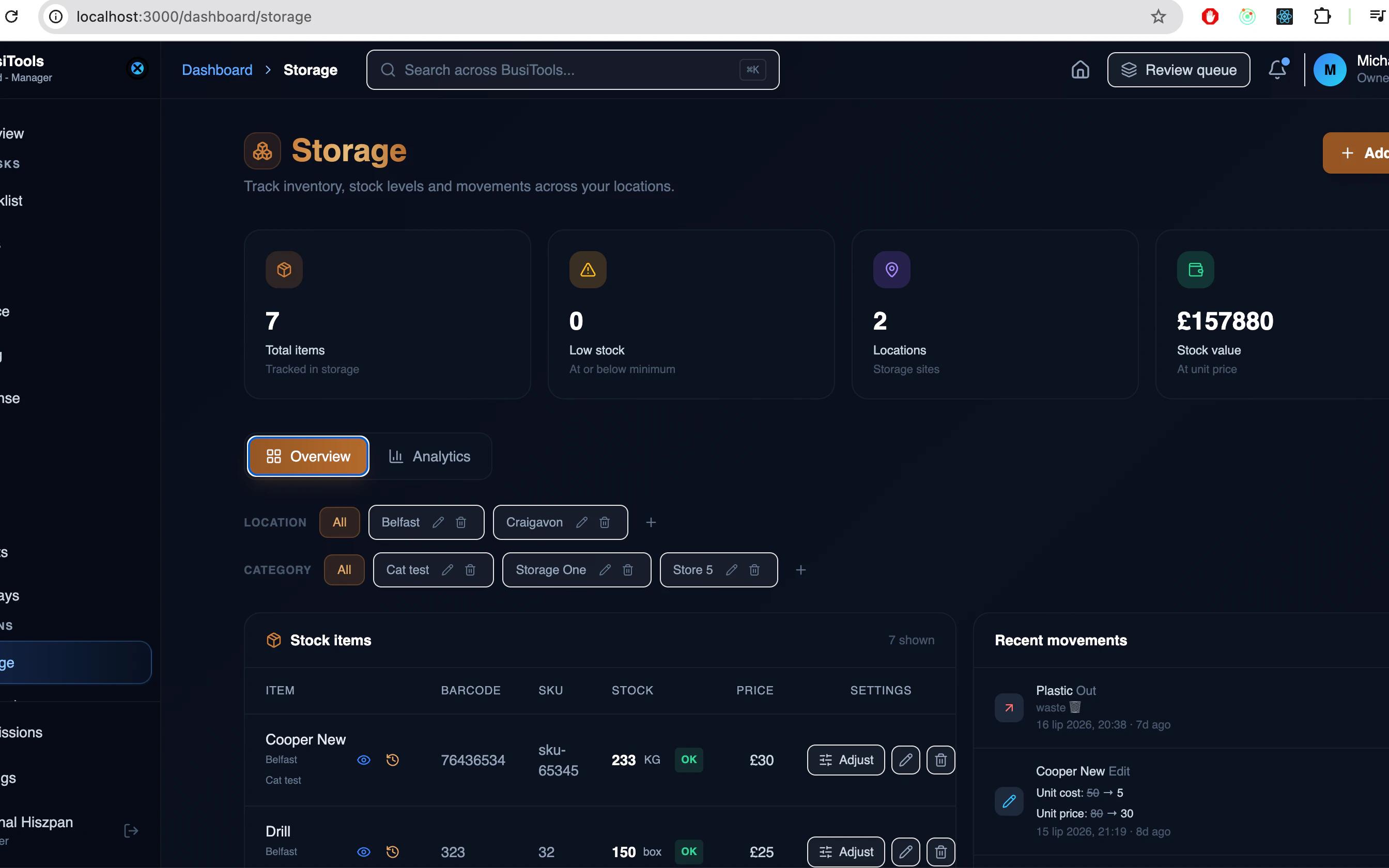
1Storage overview
Total items, low stock, out of stock and inventory value across the top — then the
full item table with category filters, and recent movements alongside it.
Add / Edit Storage Item
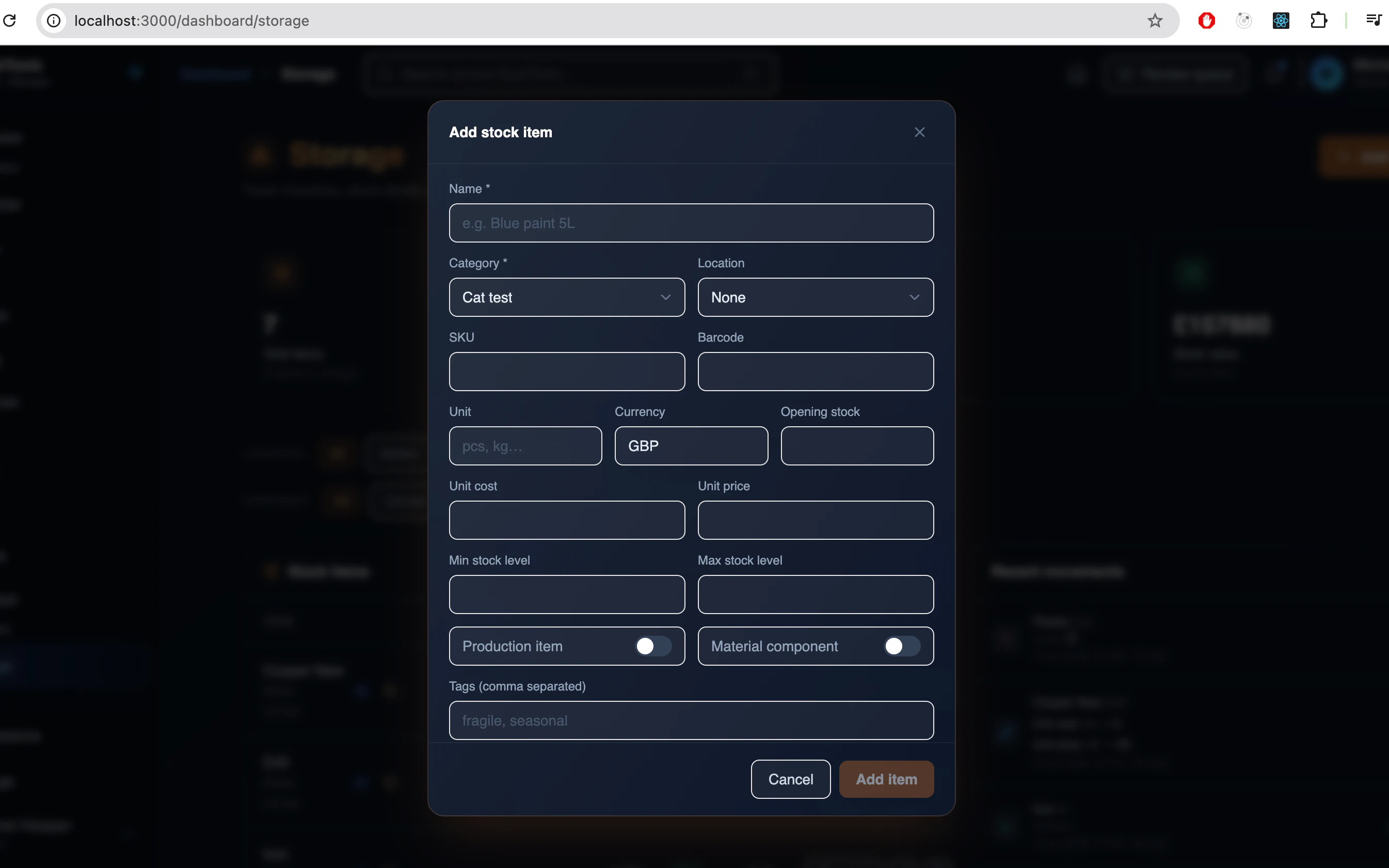
One form, the whole item record.
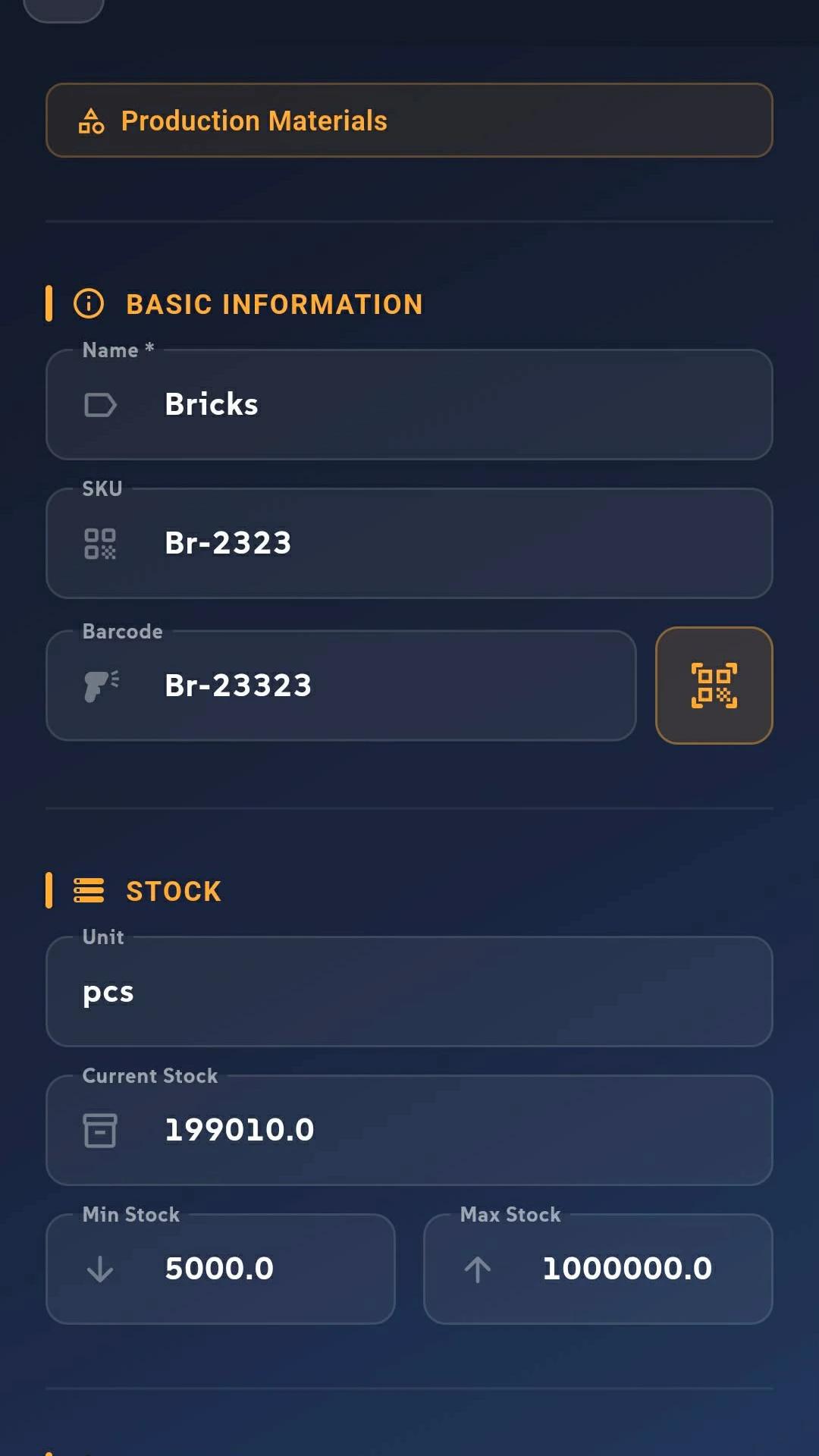
Create an item once and it's available to everyone in your group. The form is split
into clear sections so nothing gets missed:
- Basic information — name, SKU and barcode, plus the category and location it belongs to
- Stock — current quantity, unit, and the minimum / maximum stock levels used for low-stock alerts
- Pricing — currency, unit cost and unit price
- Item type — mark it as a material component (consumed in production) or a production unit (something you make)
- Additional — tags, pack size and notes
Editing works the same way — change any field and the update reaches the whole team
instantly. Every edit is written to the item's history, so you can always see what
changed.
Adding and editing items is available to owners and members with full access.

Locations and Categories
Structure your storage the way your business is actually laid out.
Create as many locations as you need — a warehouse, a van, a workshop, a second
shop — and inside each location, as many categories as it takes to keep things
findable.
Every item lives in a category, and every category belongs to a location. That means
you can answer "how much of this do we have here?" instead of just "how much do we
have?".
- Give each category its own icon and colour so the list is scannable at a glance
- See item counts and low-stock warnings per category
- Search across categories when you're not sure where something sits


Every change, on the record
Activity log
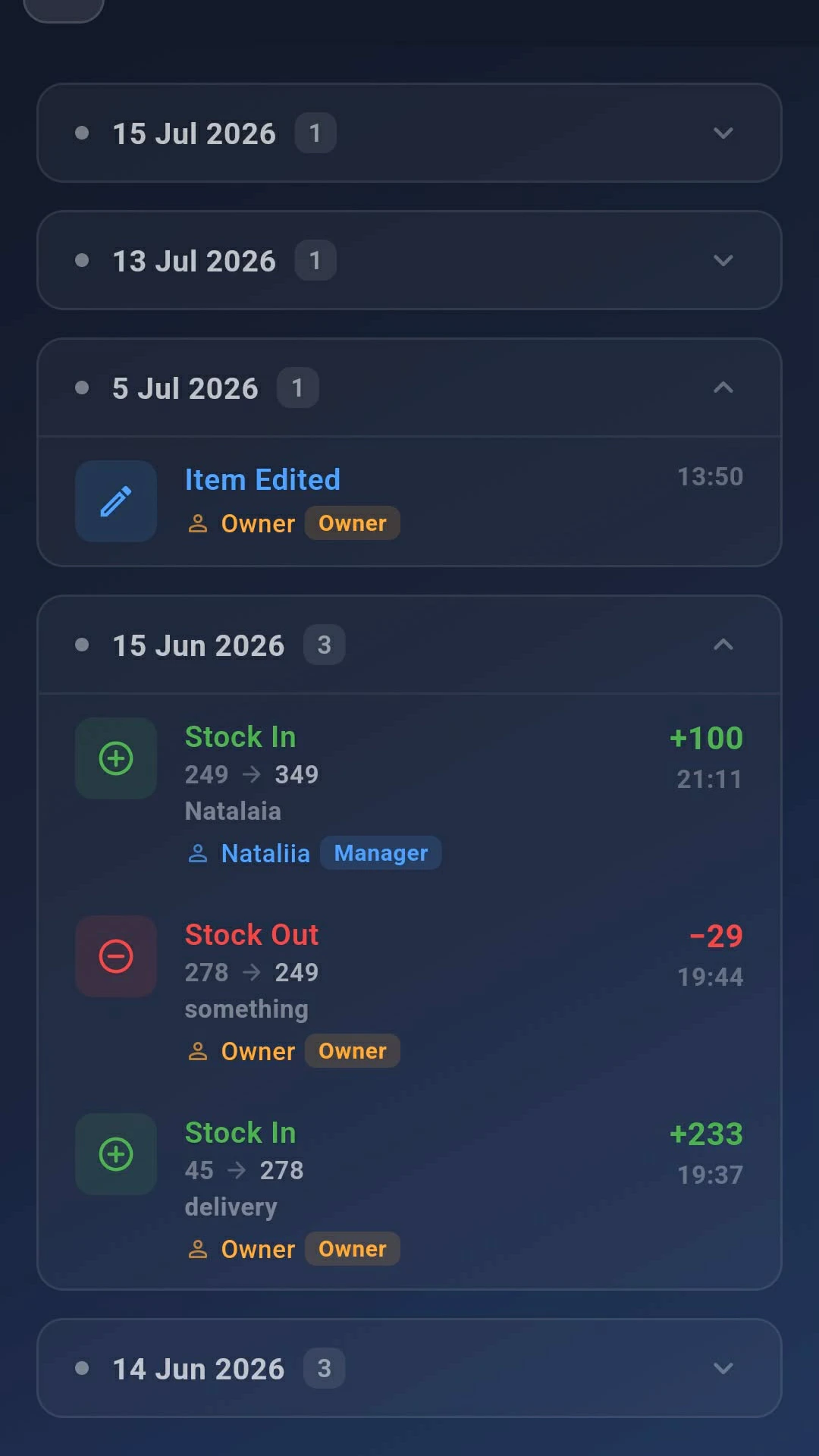
Storage keeps a dated, time-stamped log of everything that happens to your stock —
grouped by day, newest first.
- Stock in, stock out and adjustments, with the quantity and the reason given
- Item edits, showing which field changed and what it changed from and to
- Who did it and when, down to the minute
Open the log for a single item to trace its whole history, or view the full group
log to see everything at once. Nothing is overwritten quietly — if a number moved,
the log says why.


Member View
Read only view.
Not everyone needs to change stock. Members get a read-only view of Storage —
they can see what's there, but they can't alter it.
A member can:
- Browse locations, categories and the full item list
- Open any item to see stock level, price, location and category
- Scan a barcode to look an item up on the spot
- View the log for any item
A member cannot add, edit or delete items, or record stock movements. Owners control
this per person in group permissions — a member can be raised to read-only or
full access for Storage at any time, without touching their access to your other
services.