Rota
Build the week, send it out, keep everyone on the same shift
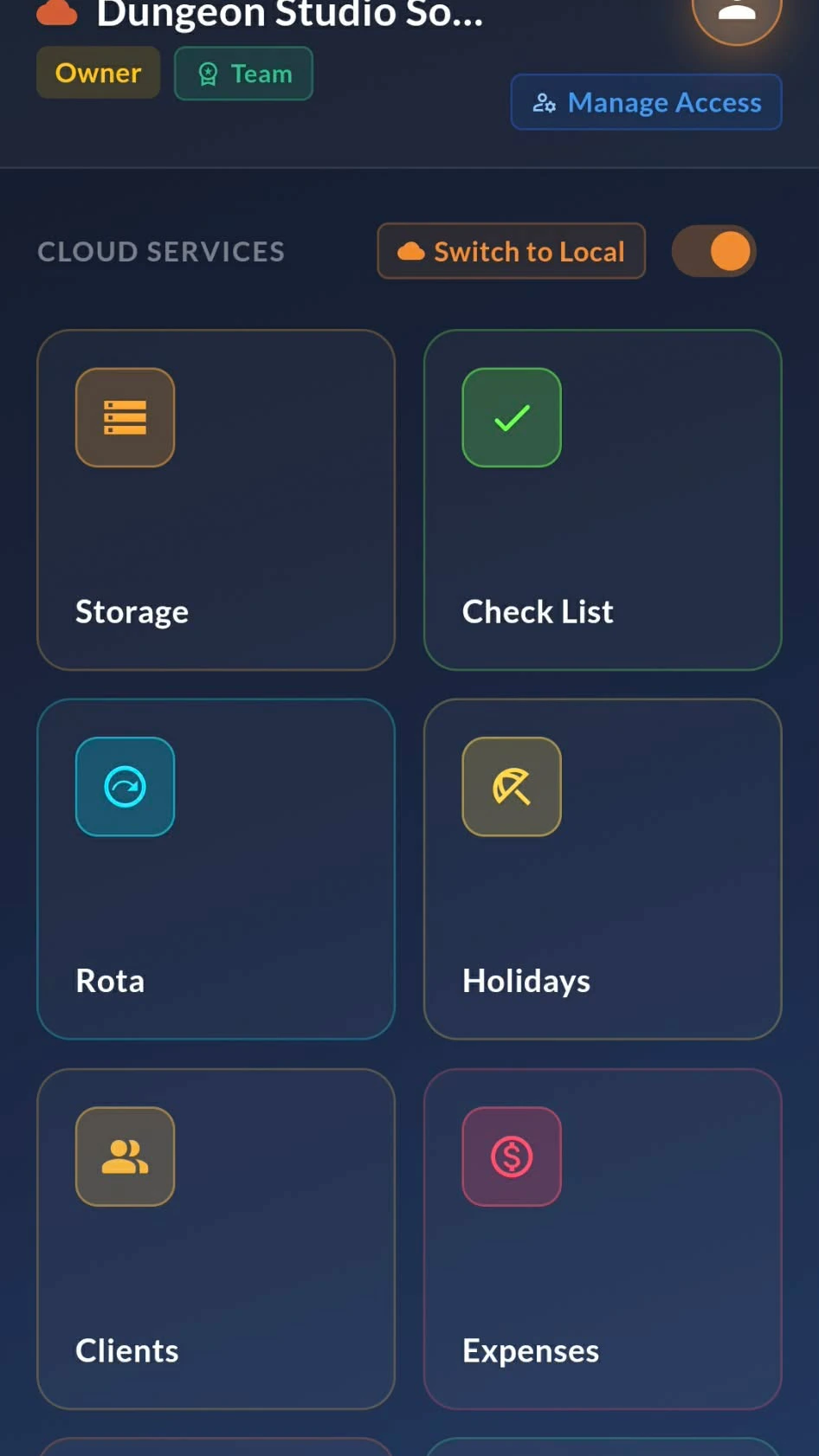
Rota turns "who's on Thursday?" into something you answer once. Set shifts, assign people, and let everyone see their own week from their phone — no group chat, no printed sheet on the wall.
Changes land instantly. Swap someone out on Monday morning and their whole team sees it before the shift starts, with a PDF you can export whenever you need a copy for the office.
Start a rota in about ten seconds
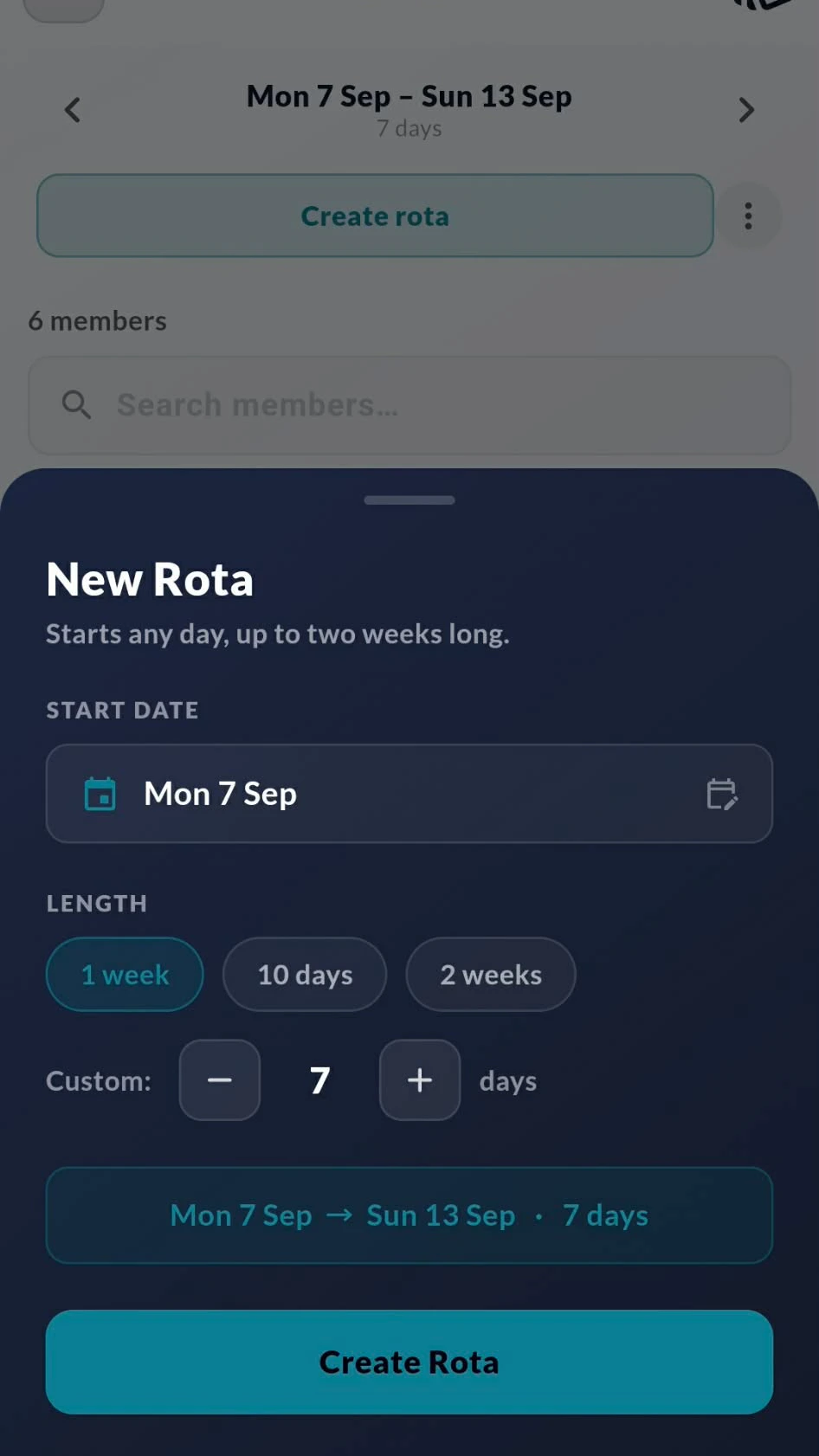
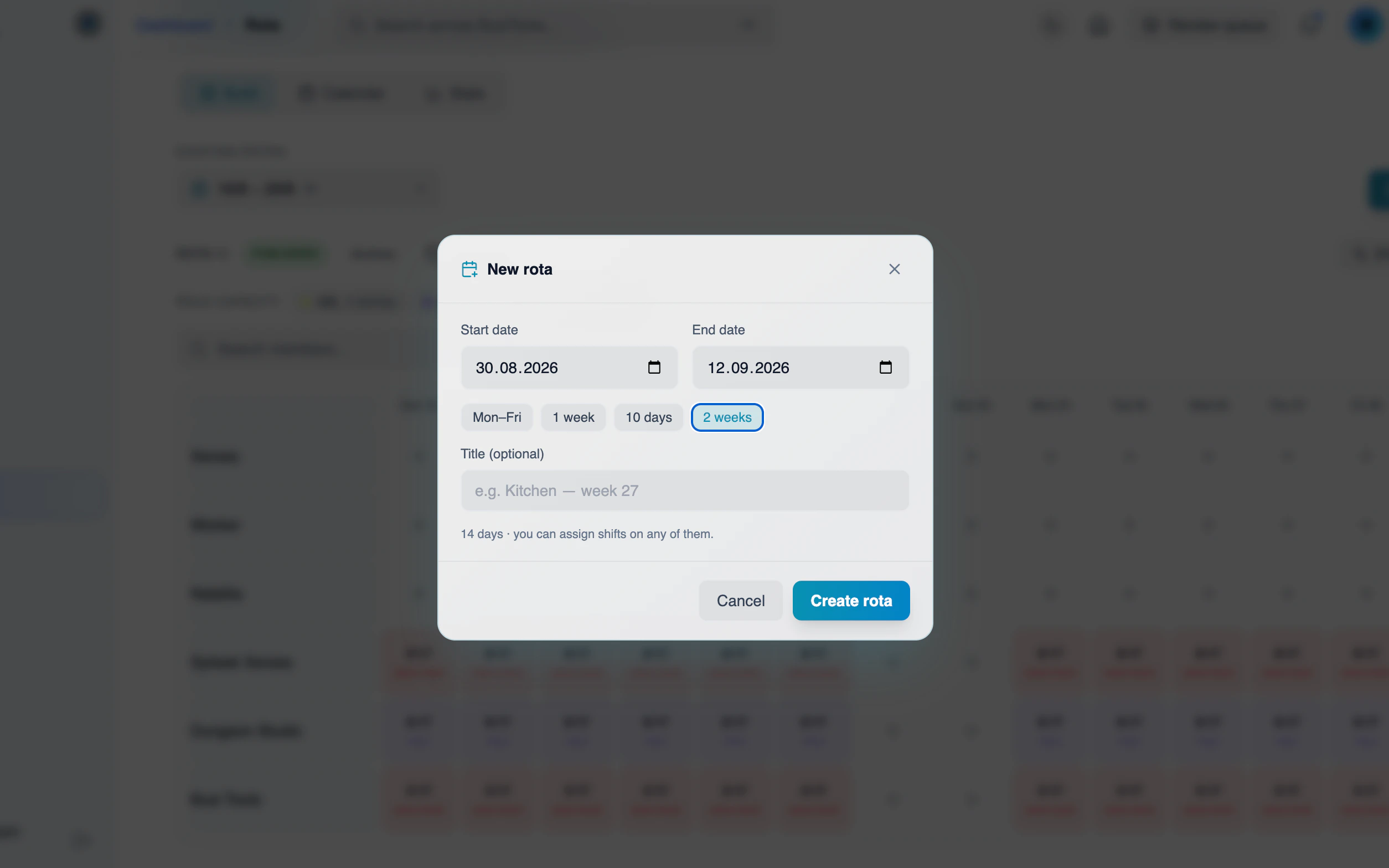
Pick a start day, pick a length, and the grid builds itself
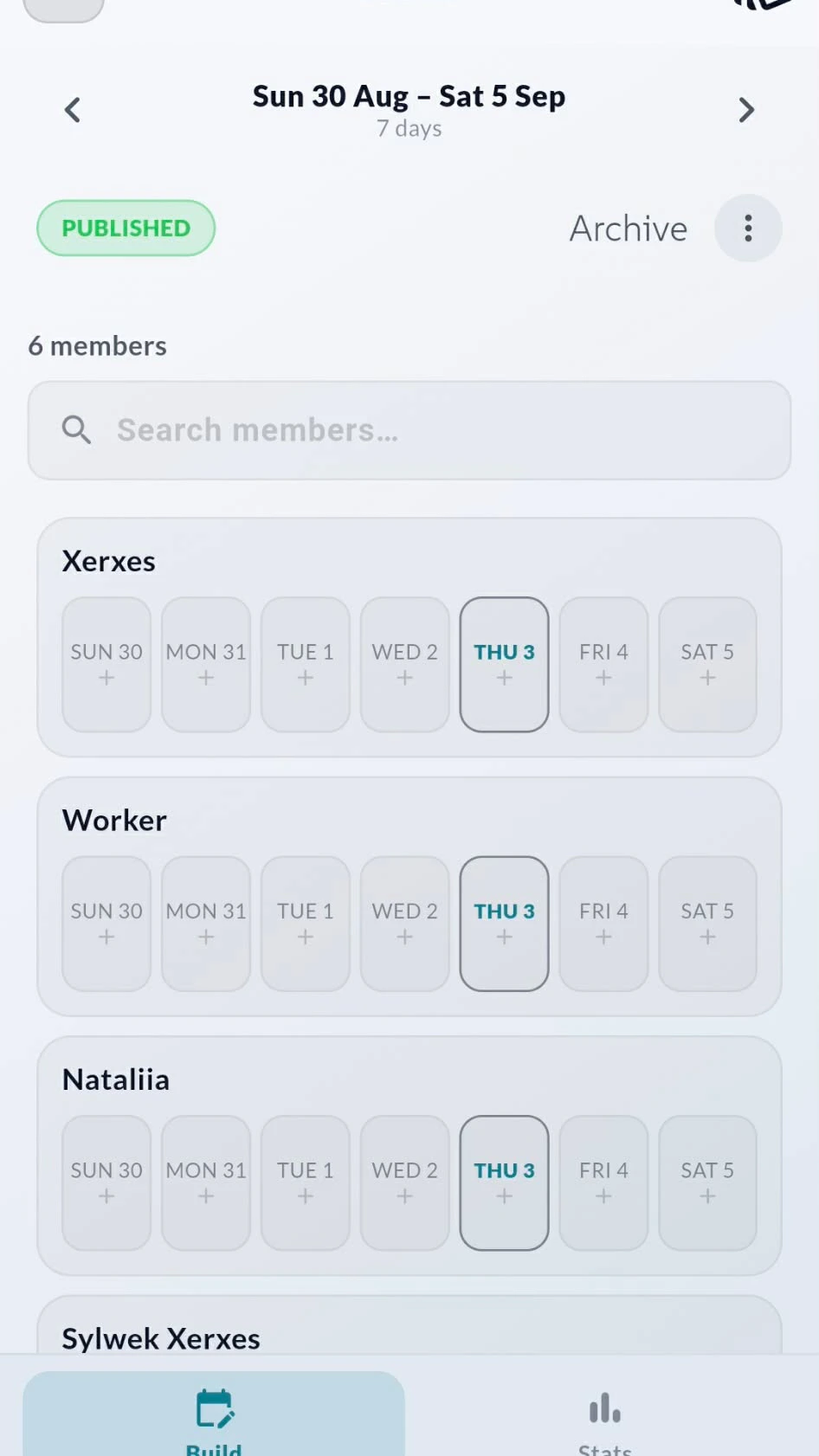
Every member gets a row, every day gets a column. Tap the plus on any cell to drop a shift in, search to jump to someone, and step between weeks with the arrows at the top.
Rotas don't have to start on a Monday. Choose any start date and set the length — one week, ten days, two weeks, or a custom number of days — and BusiTools lays out the grid to match how your business actually runs.

One tap per shift, or one tap for the whole week
Add hours, roles and days off without leaving the grid
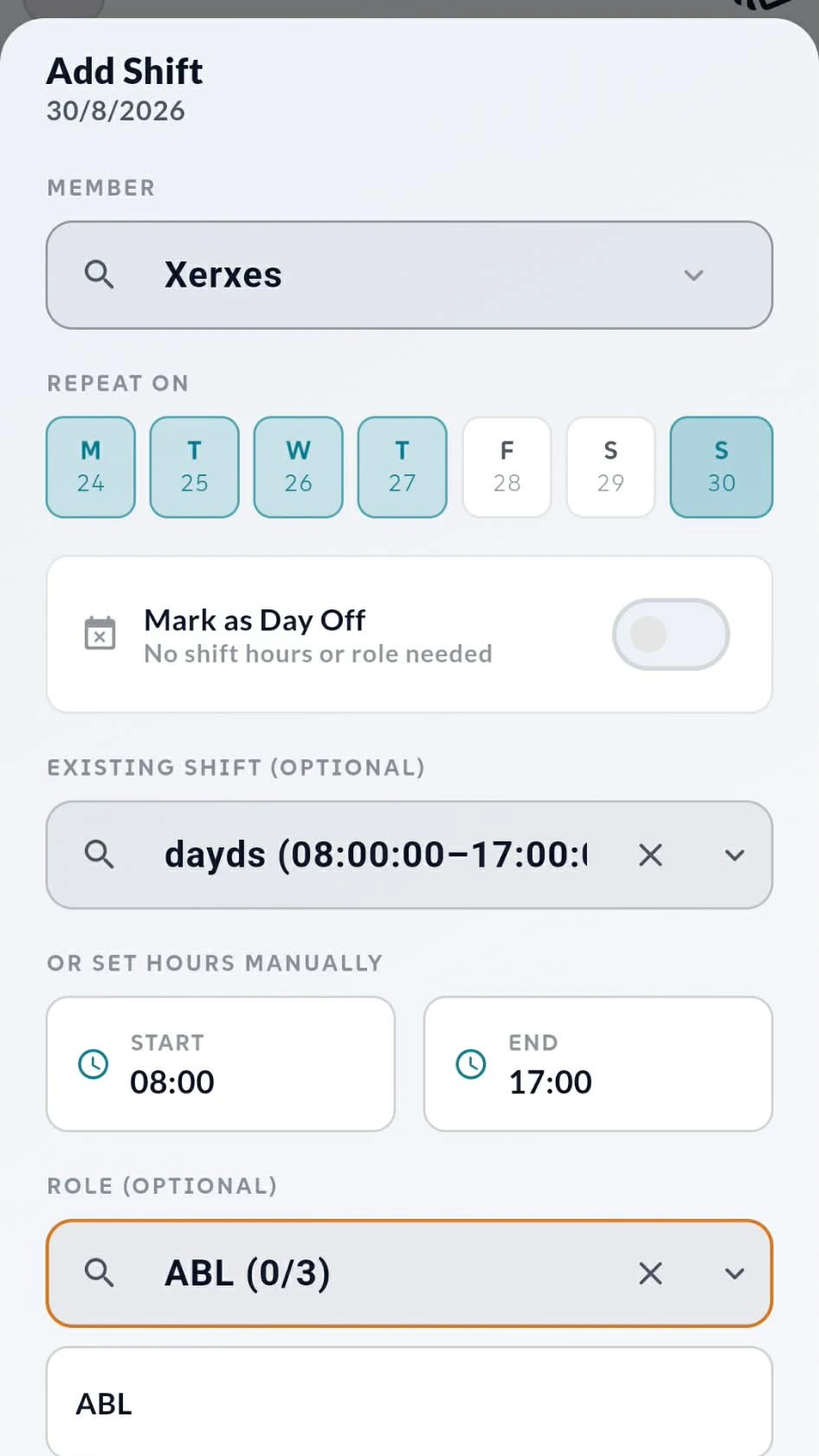
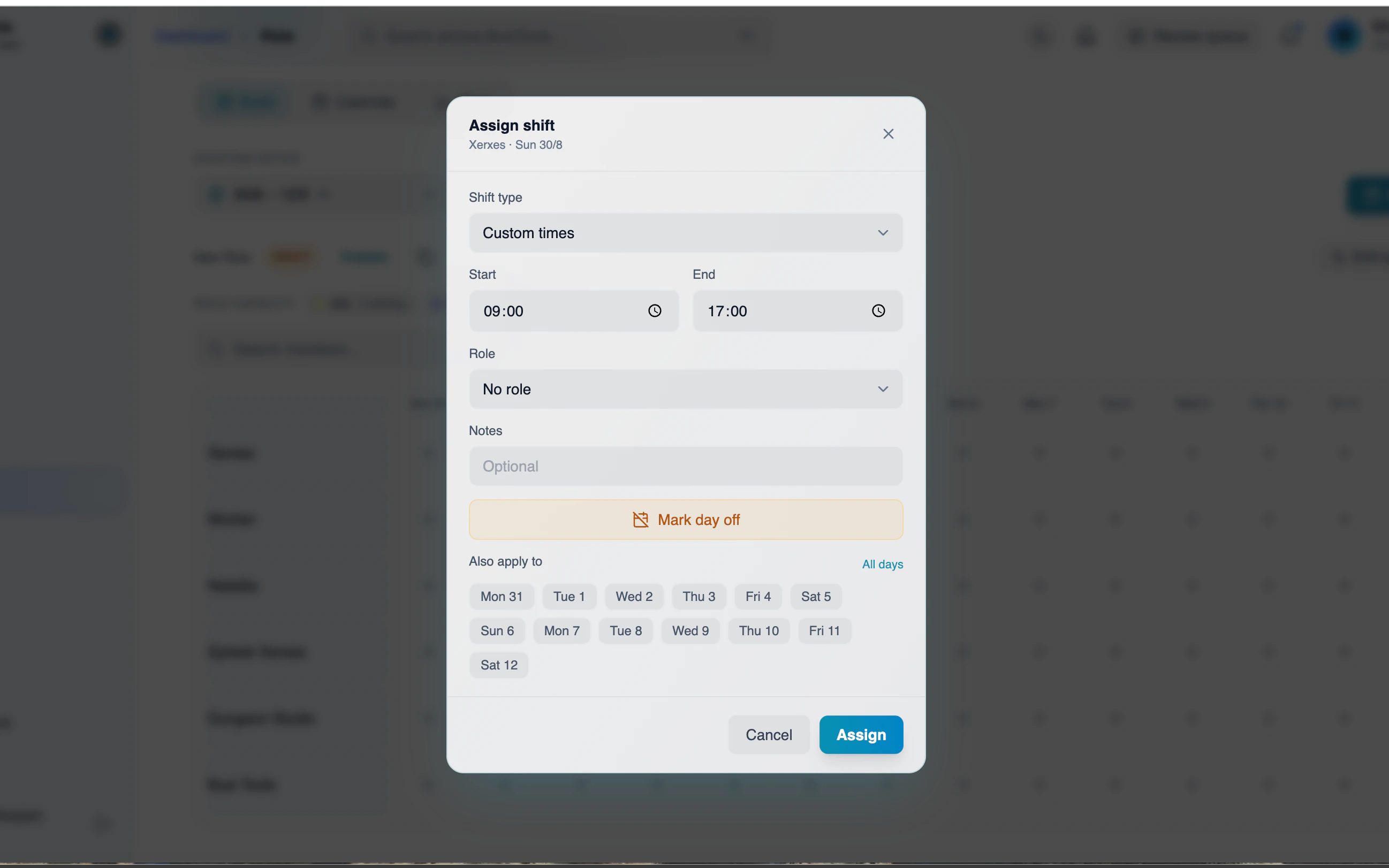
Tap any day on any member's row and the Add Shift sheet opens. Pick a saved shift like 08:00–17:00, or set the start and end manually. Assign a role if the job needs one, or flip Mark as Day Off when someone isn't working.
Repeat On is where the time goes back in your pocket — select the days that shift applies to and it drops onto all of them at once. Once the week looks right, publish it and everyone sees the same grid.
Set it up once, reuse it every week
Saved shift types, colours and roles — plus copy to next period
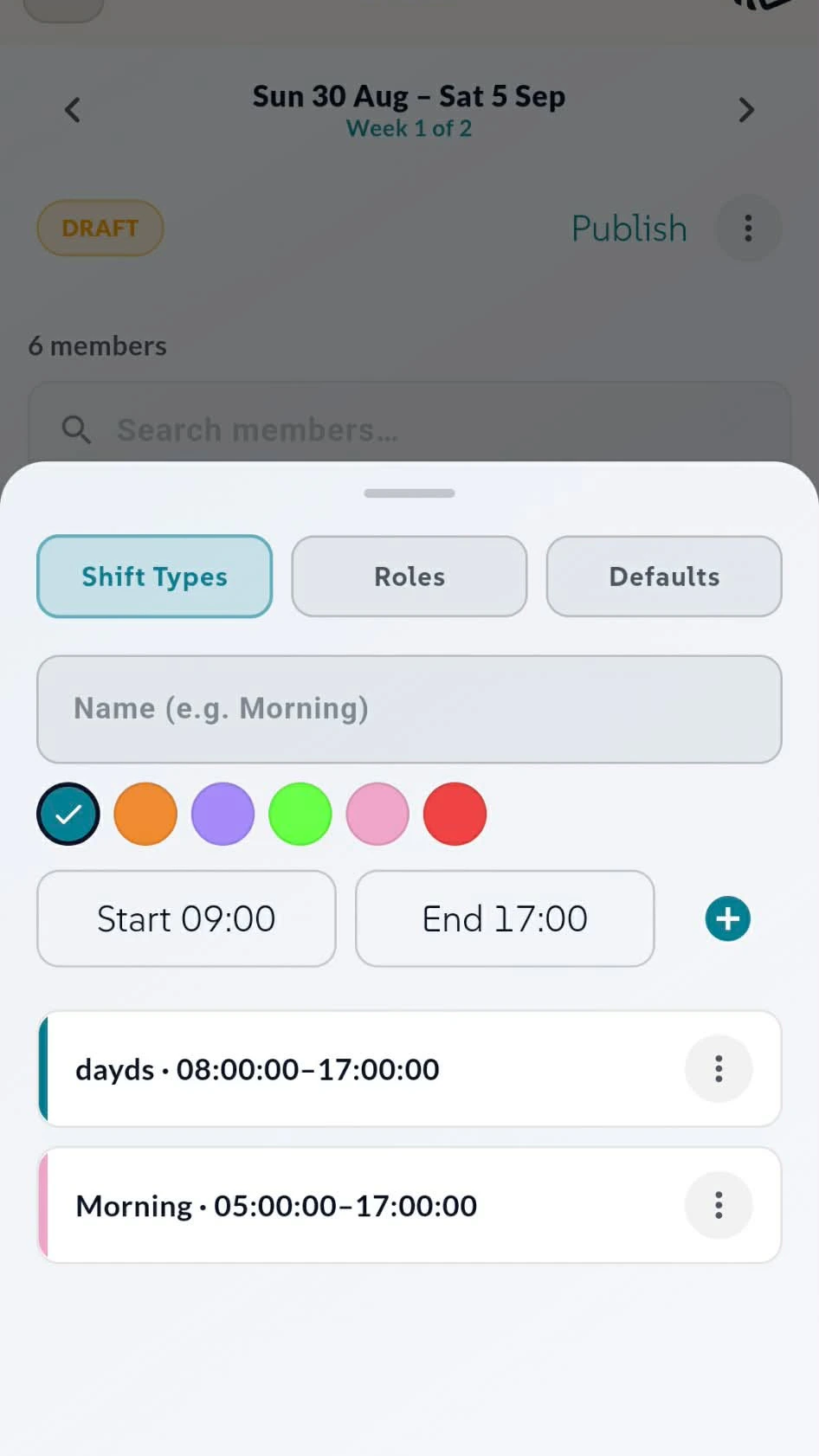
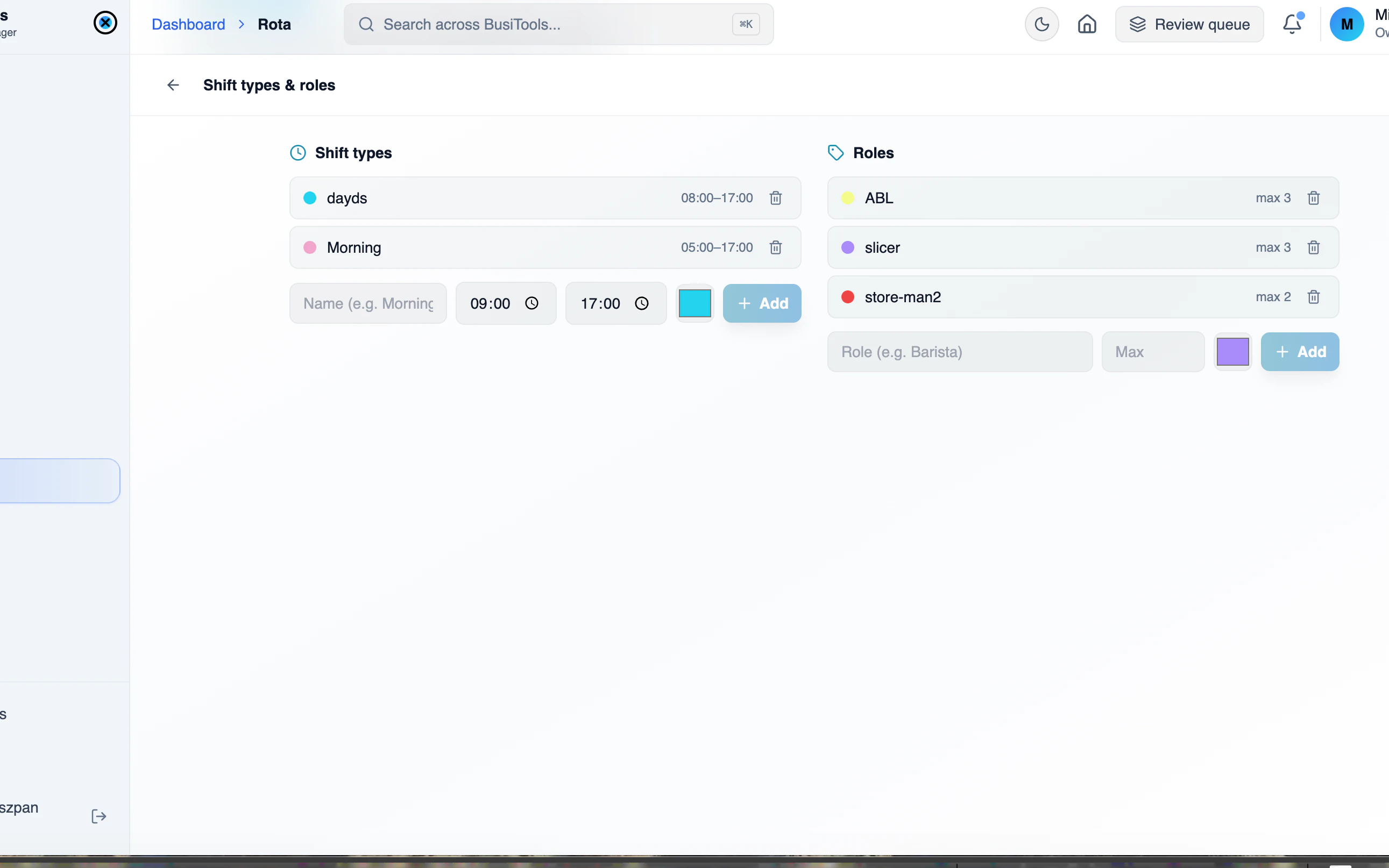
Build your shift types once: name them, give each a colour, set the hours. Morning, days, nights — whatever your business calls them. Add roles alongside, set defaults, and every future rota is a few taps instead of a rebuild.
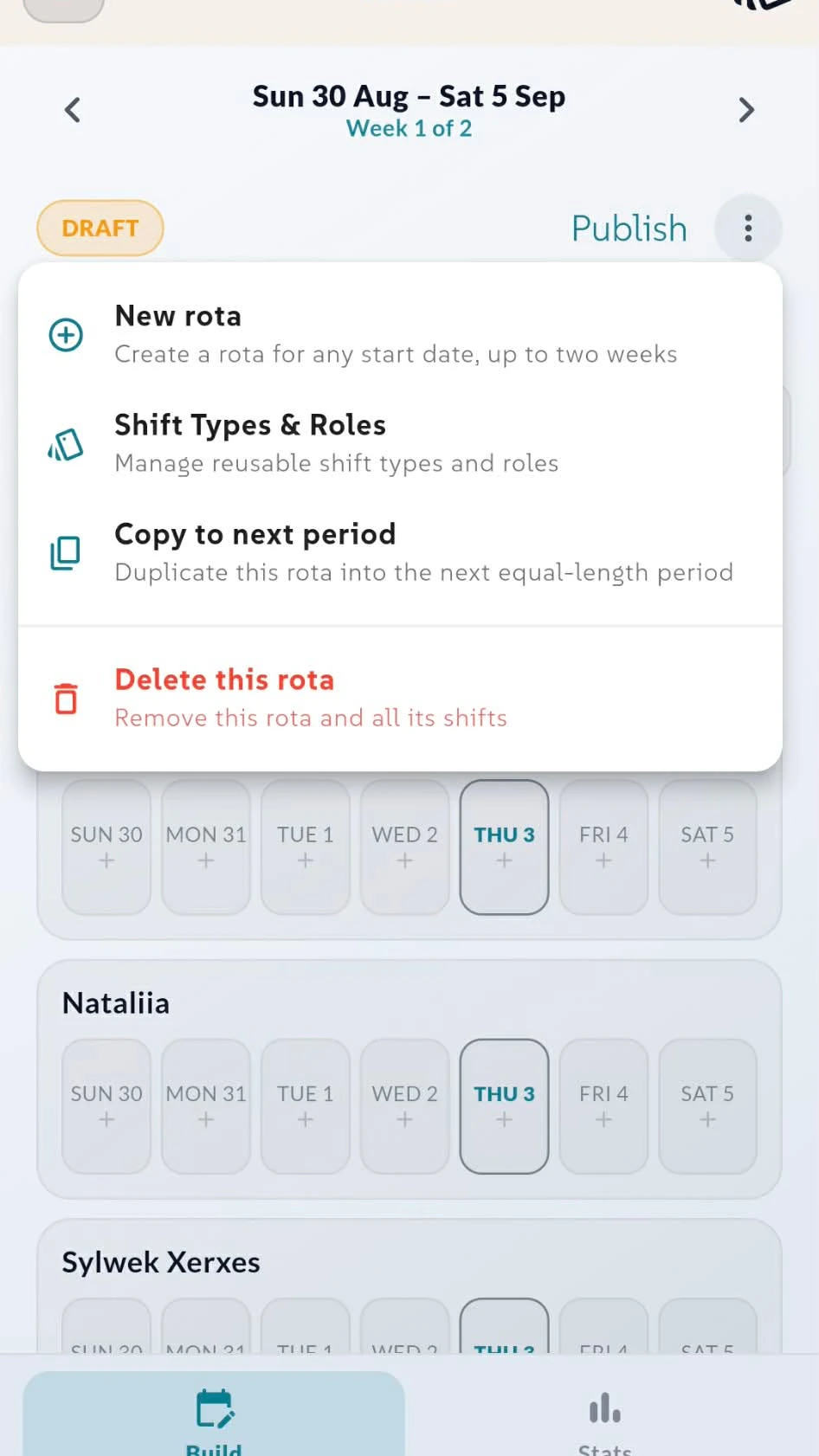
The rota menu handles the rest. Copy to next period duplicates the whole thing into the following weeks, drafts stay private until you hit Publish, and deleting a rota clears all its shifts in one go.
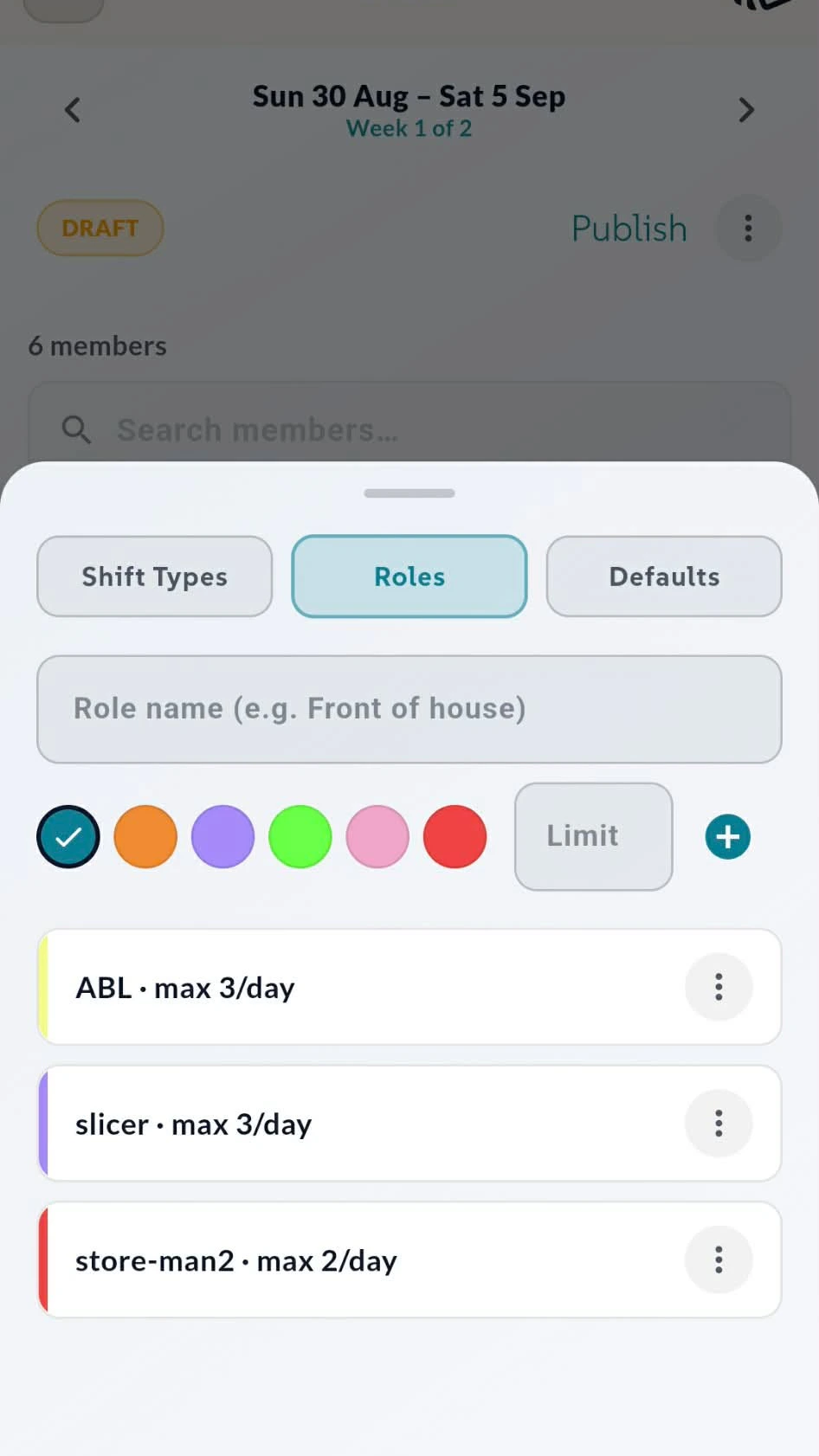
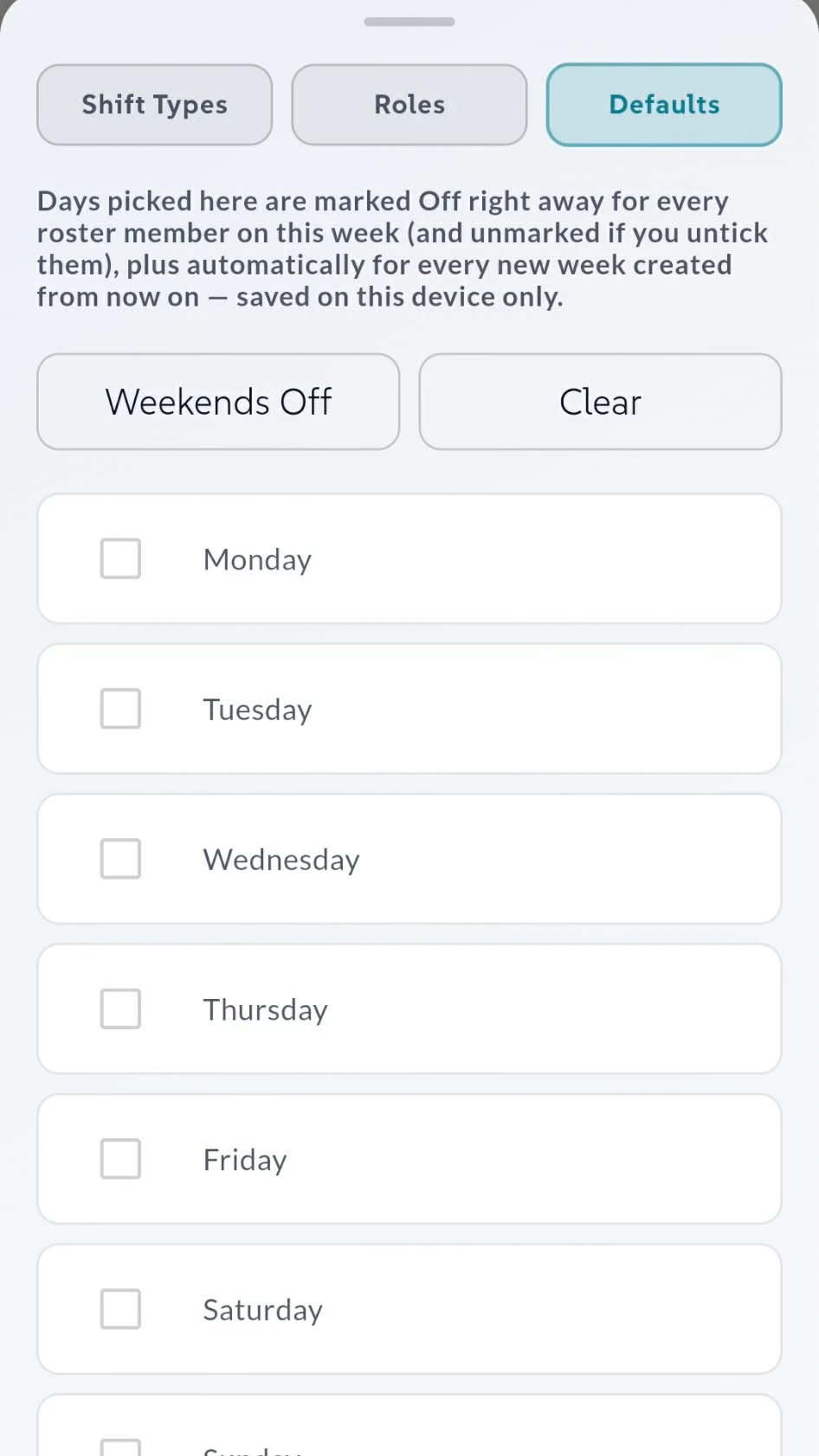
Roles with limits, days off by default
Cap how many people cover a job, and pre-mark the days nobody works
Give each role a name, a colour and a daily limit — front of house max 3, store-man max 2 — and the rota tells you when you're over before the week goes out.
Defaults handle the days nobody's in. Tick your regular days off, or hit Weekends Off, and they're marked for every member on this week and on every new rota you create from then on.
How the desktop app works
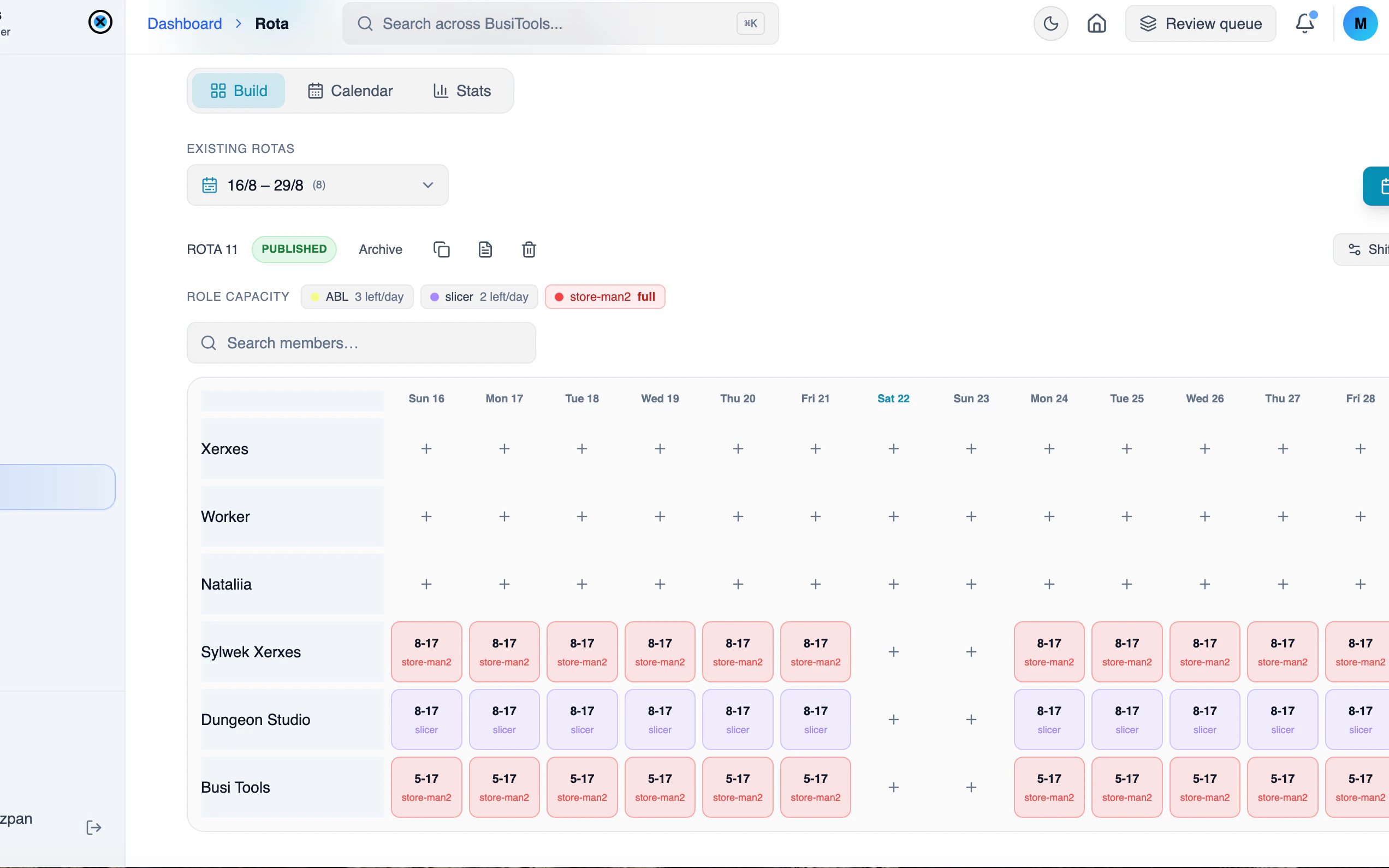
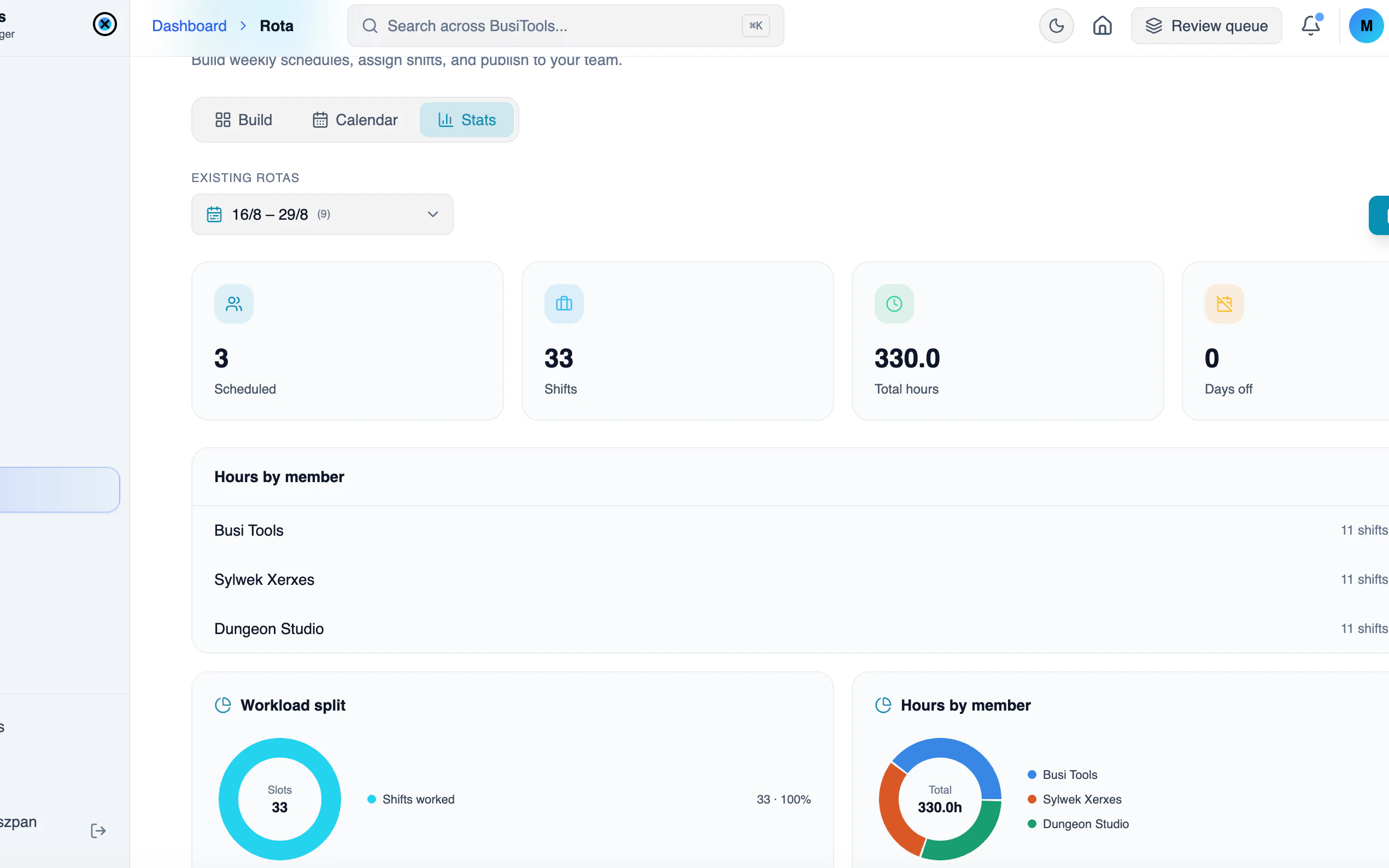
The whole rota on one screen. Two weeks across, every member down the side, live role capacity at the top — build it, publish it, then check the calendar and the numbers without ever leaving the page.
1The full grid, two weeks wide
Every member and every day in one view, with role capacity showing what's left before you overbook. Publish, archive, duplicate or export a PDF from the header.
What the team sees
My Shifts for your own week, Calendar for who else is on
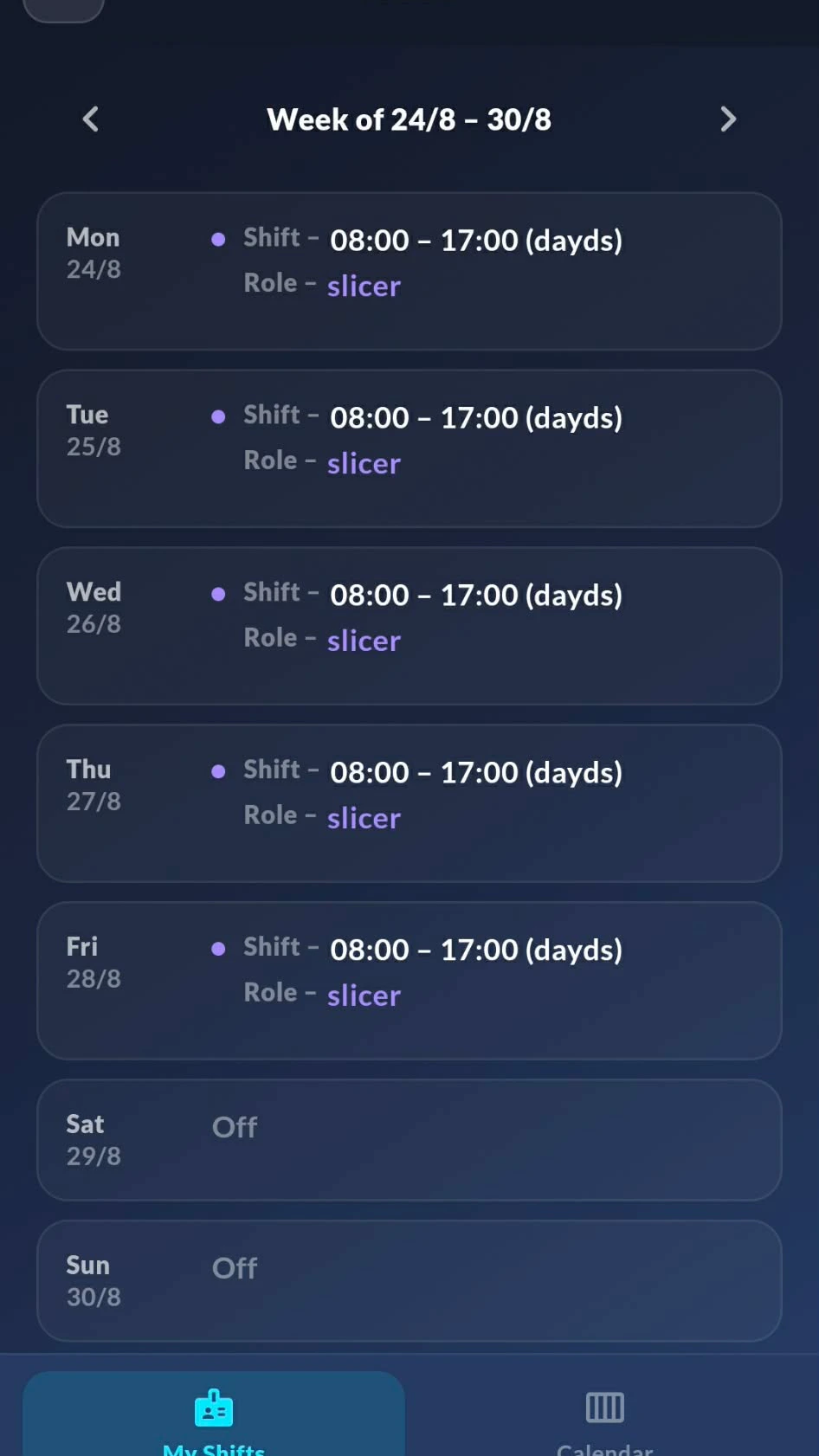
Members open Rota and land on their own week: day by day, shift hours, role, and the days they're off. No grid to scroll, no hunting for their name — just their week, updated the moment you publish a change.
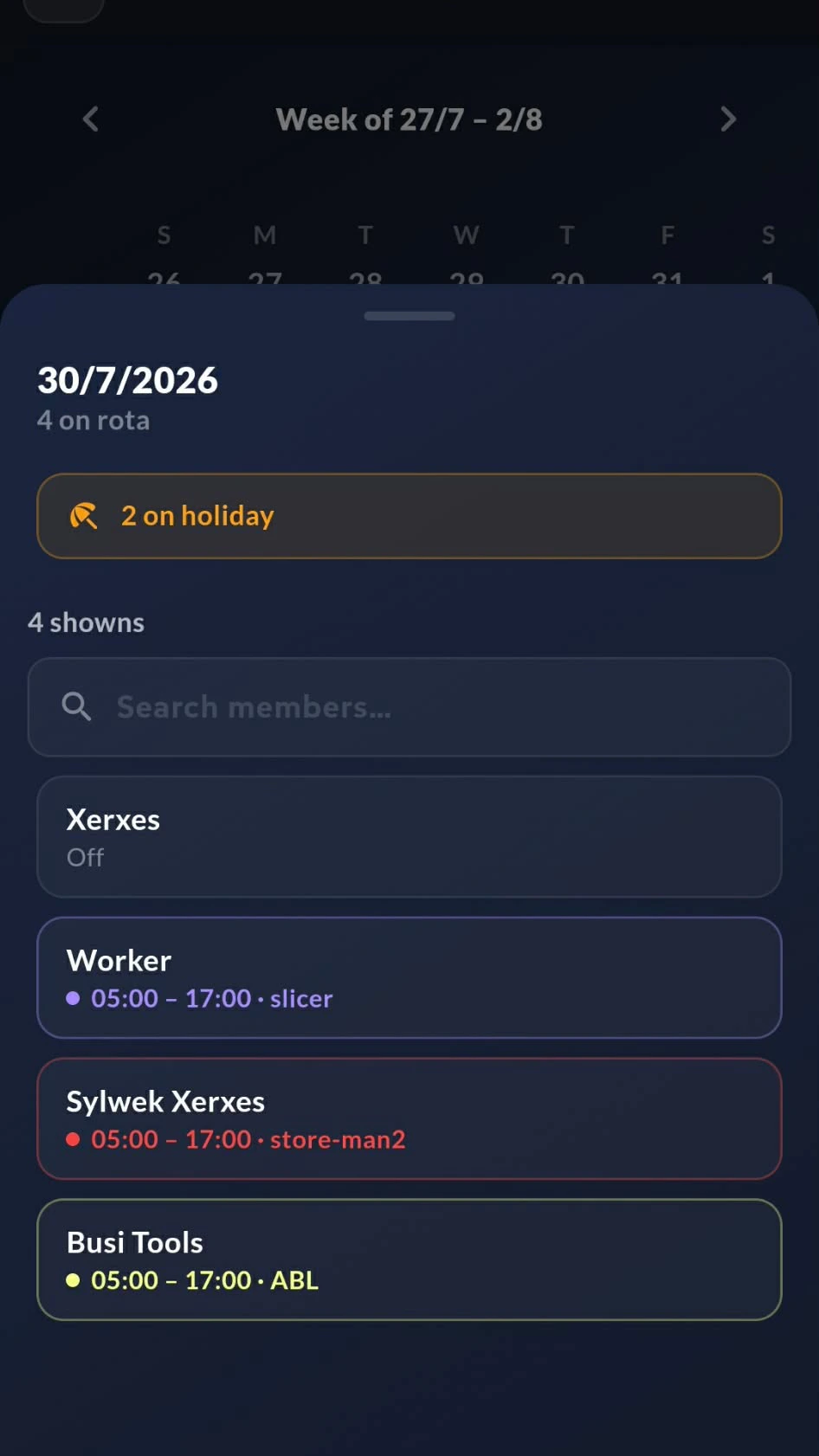
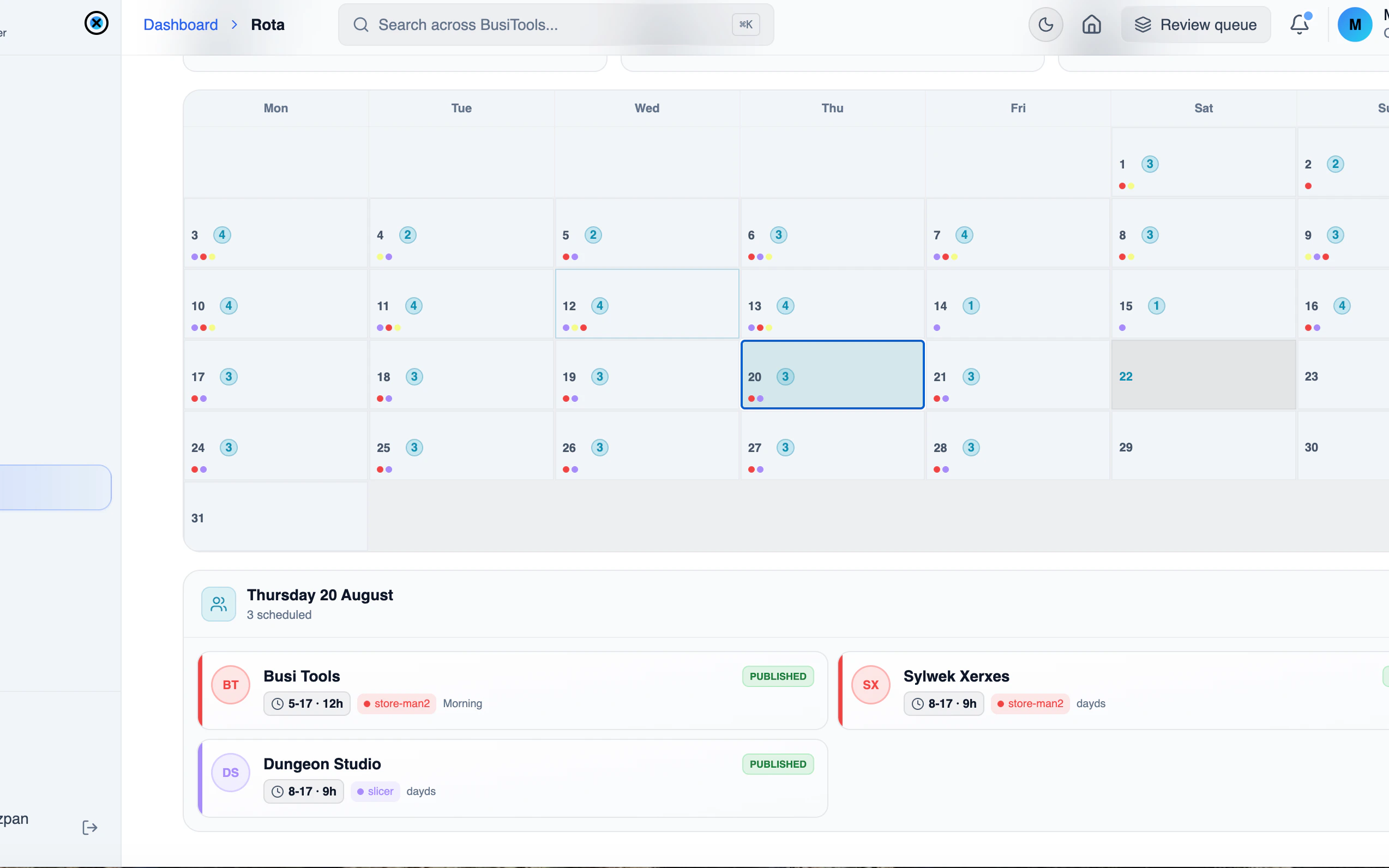
Switch to Calendar and tap any day to see who's covering it. Names, hours, roles and who's on holiday, so anyone can check cover or arrange a swap without a single message to the office.