Your people, your roles, your progress — from anywhere
Team
Team is where your business stops being a spreadsheet and starts being a group of people. Add members, set roles, assign cloud tasks, and watch completion update live across every device.
No admin panel, no desktop required. Invite someone from your phone on a Monday morning and they're working by lunchtime — with the same live view of tasks, owners, managers and workload that you have.
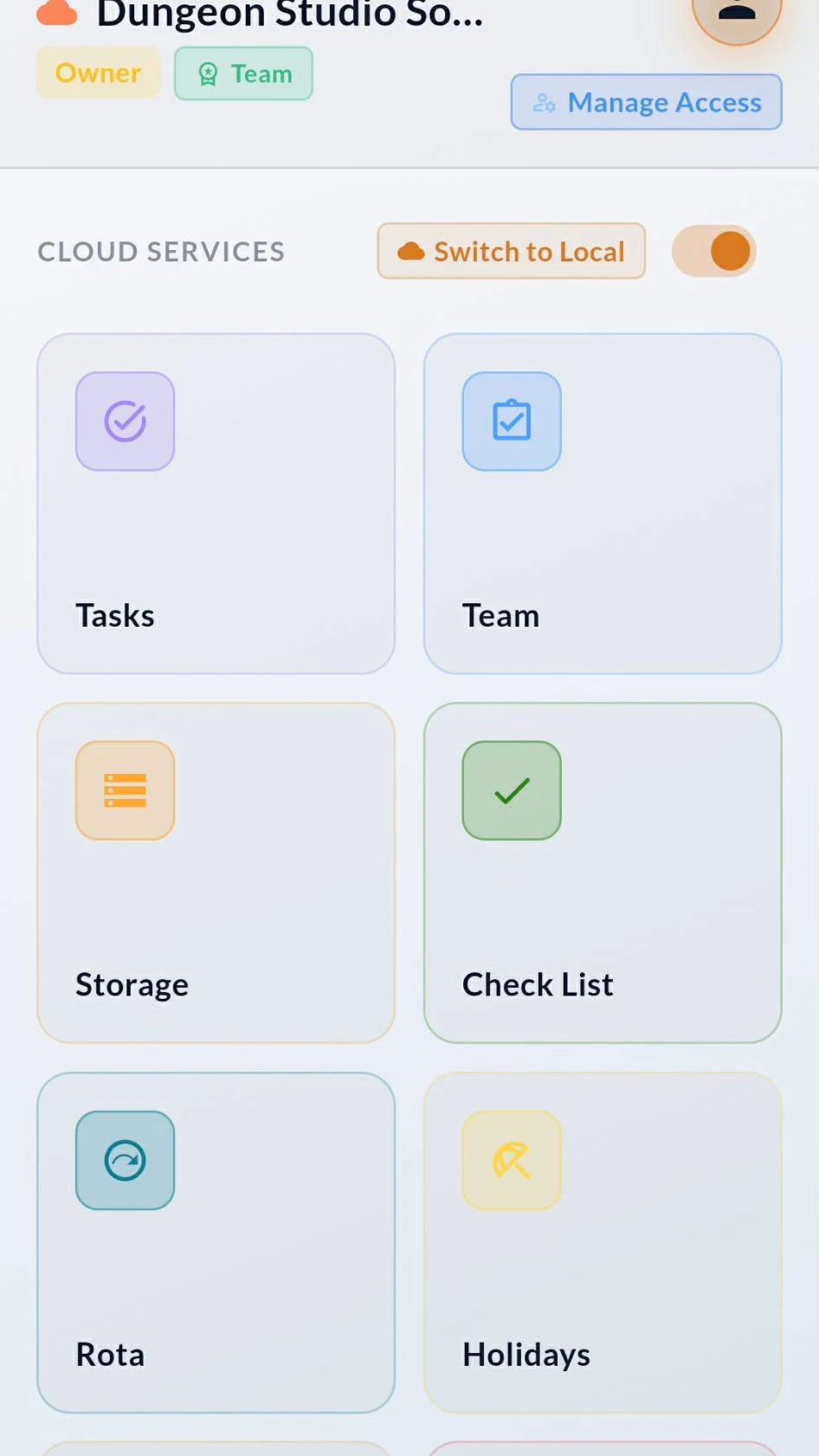
Everyone, one tap away
Easy access to the Members sheet with a button in Teams.
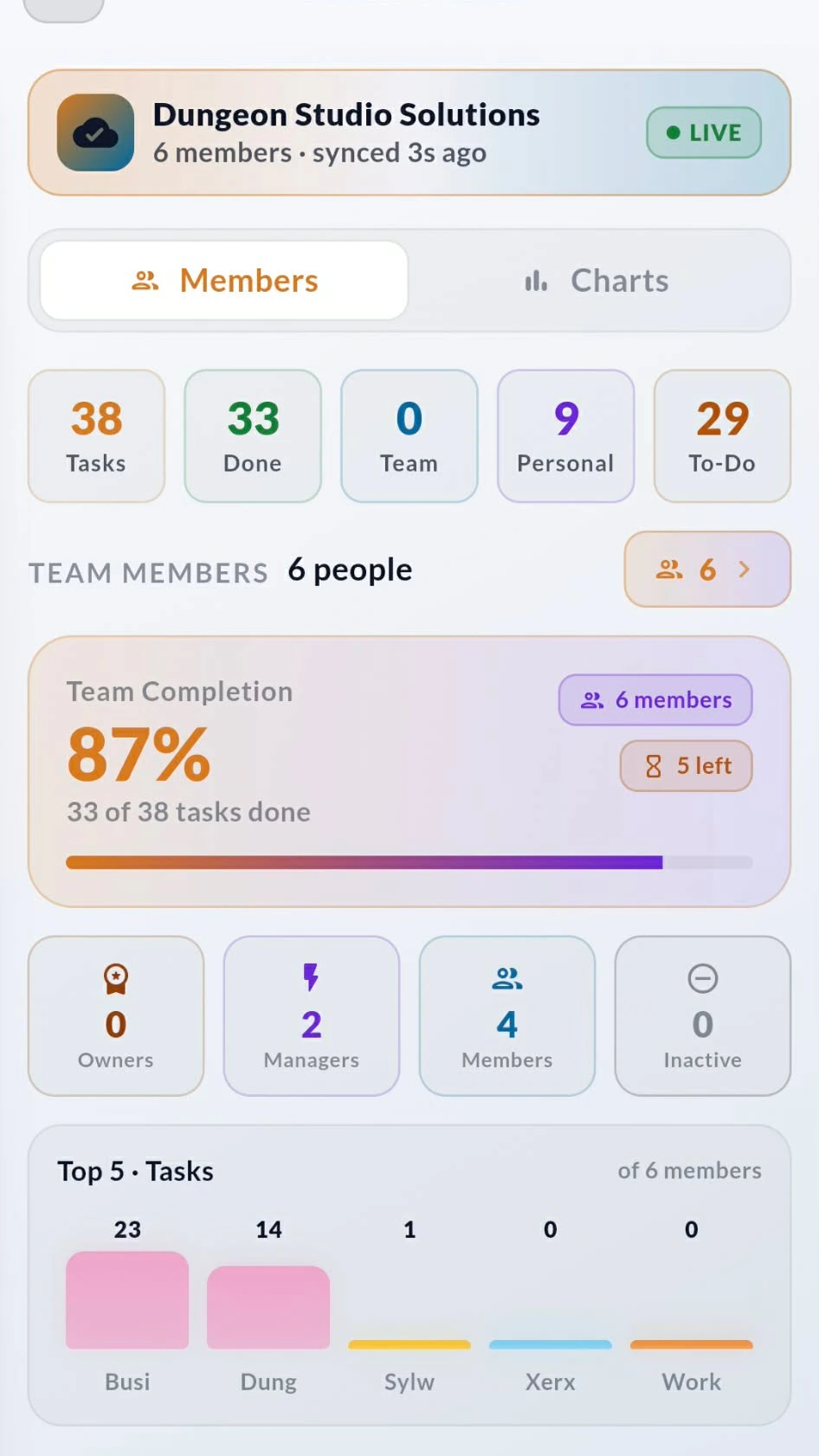
Tap the member count and the full team slides up as a sheet — no page reload, no digging through menus. Search by name or role, see who's active, and check each person's task progress right in the list.
Tap any member and you go straight to their details screen: their role, their group, their assigned tasks and their completion. Promote them to manager, reassign work, or mark them inactive without ever leaving the Team screen.

Numbers that answer the question
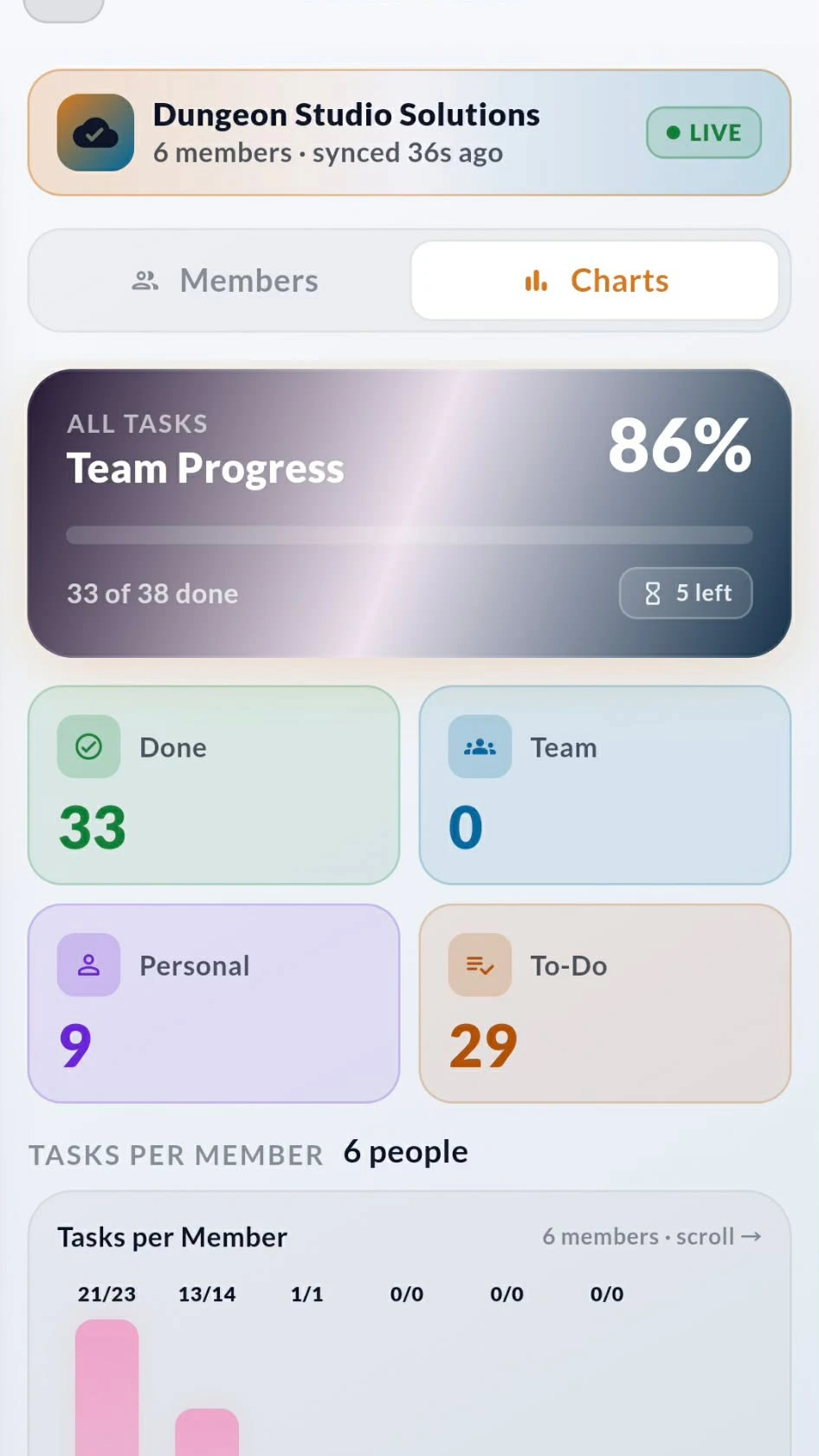
Switch to Charts and see where the work actually sits
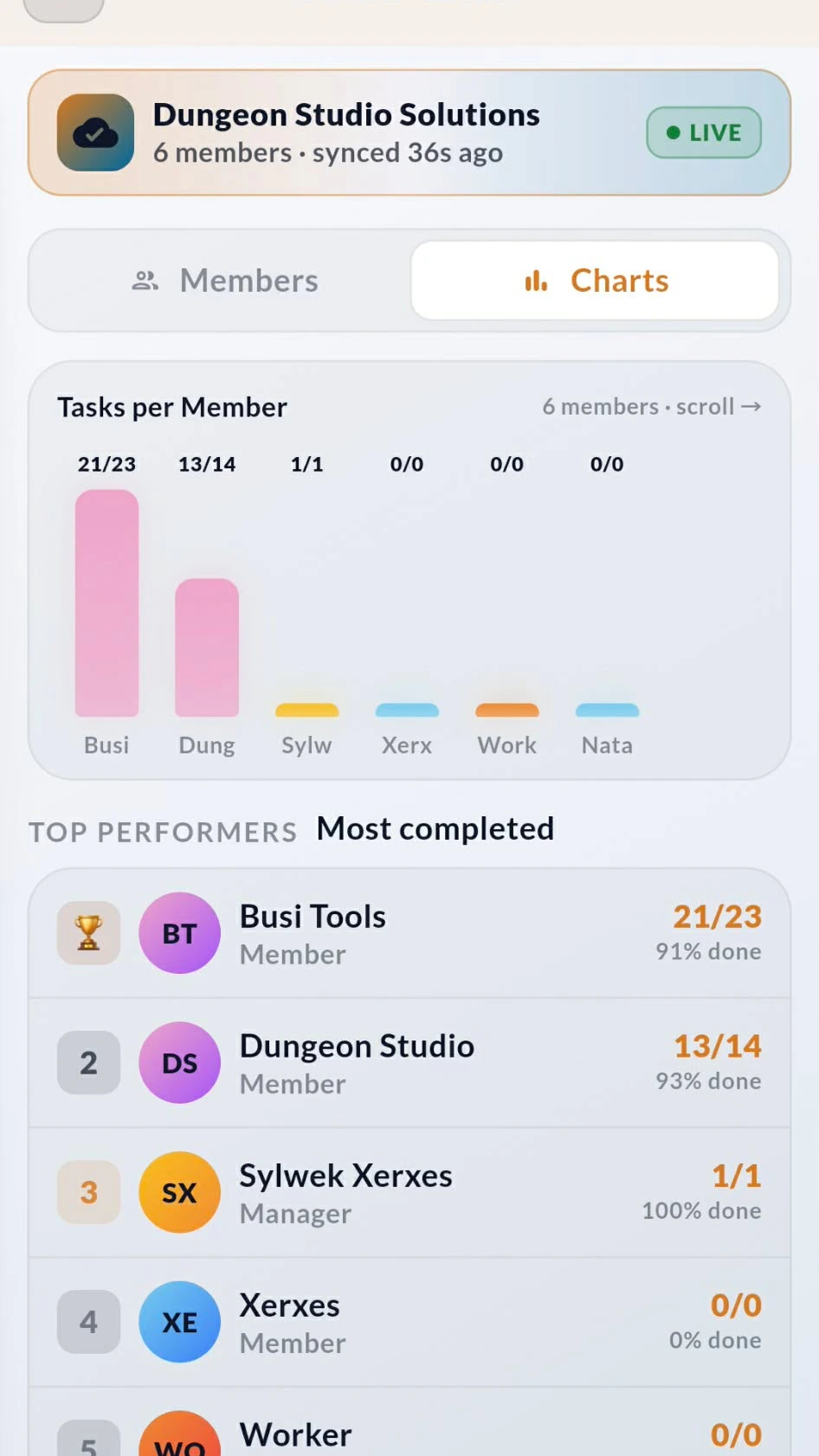
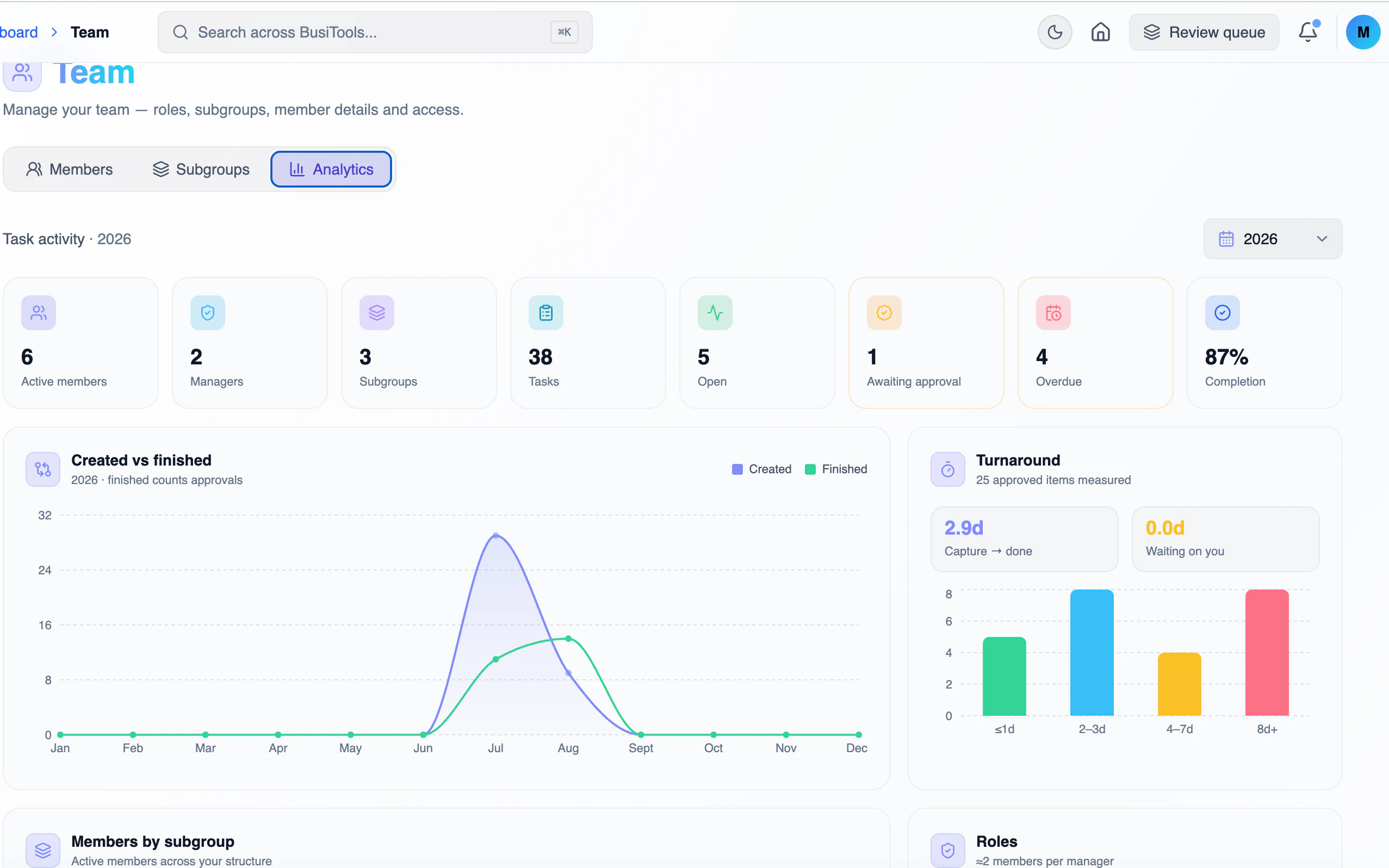
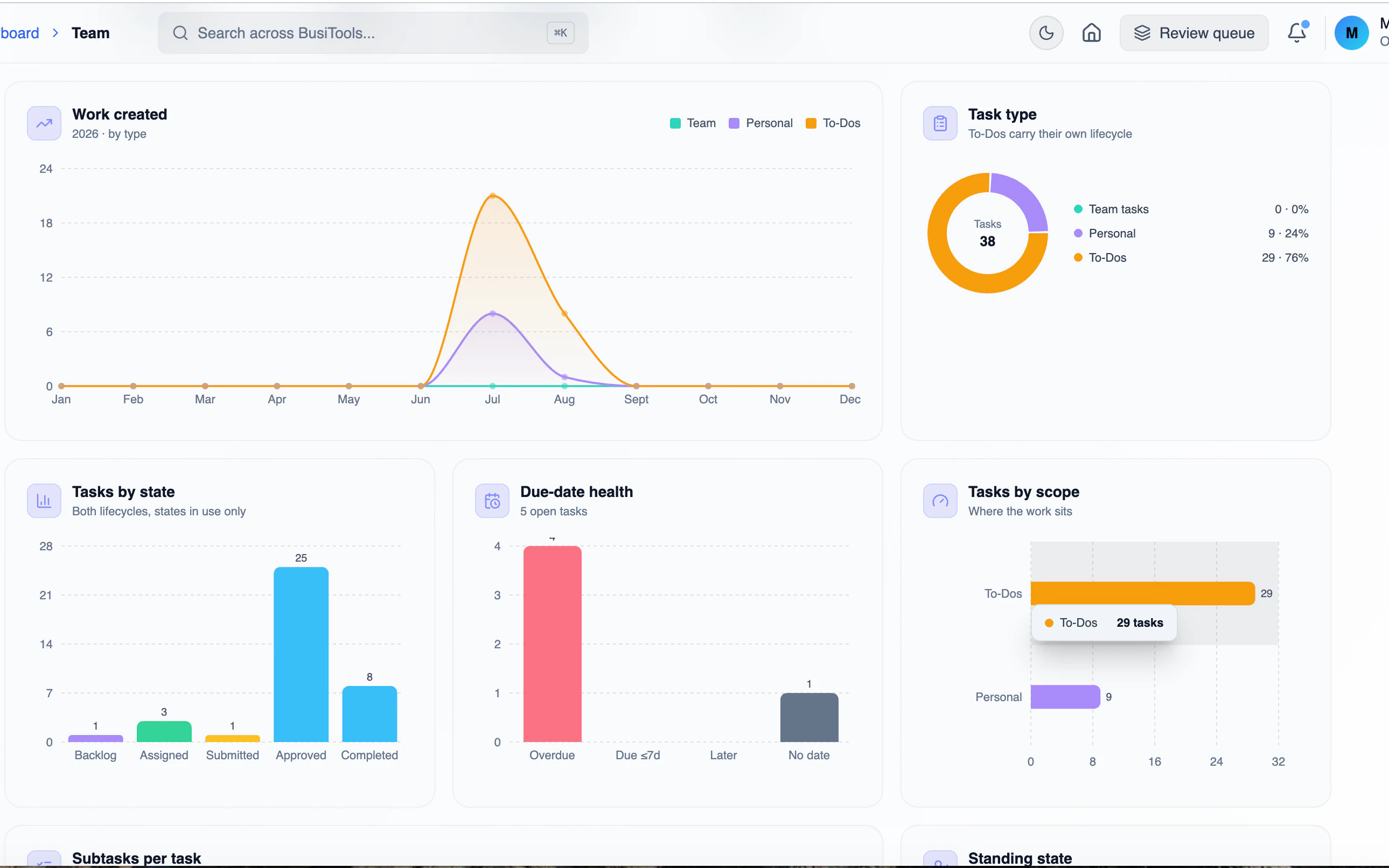
One tap from Members to Charts and the whole team turns into numbers you can act on. Overall progress across every task, split by done, team, personal and to-do — so you know instantly whether you're waiting on people or on yourself.
Tasks per Member shows the workload spread at a glance, and Top Performers ranks who's completing what. Spot the person carrying 21 of 23 tasks and the one sitting at zero, then rebalance before it becomes a problem.
The full picture on one member
Role, groups, employment and access — all in one place
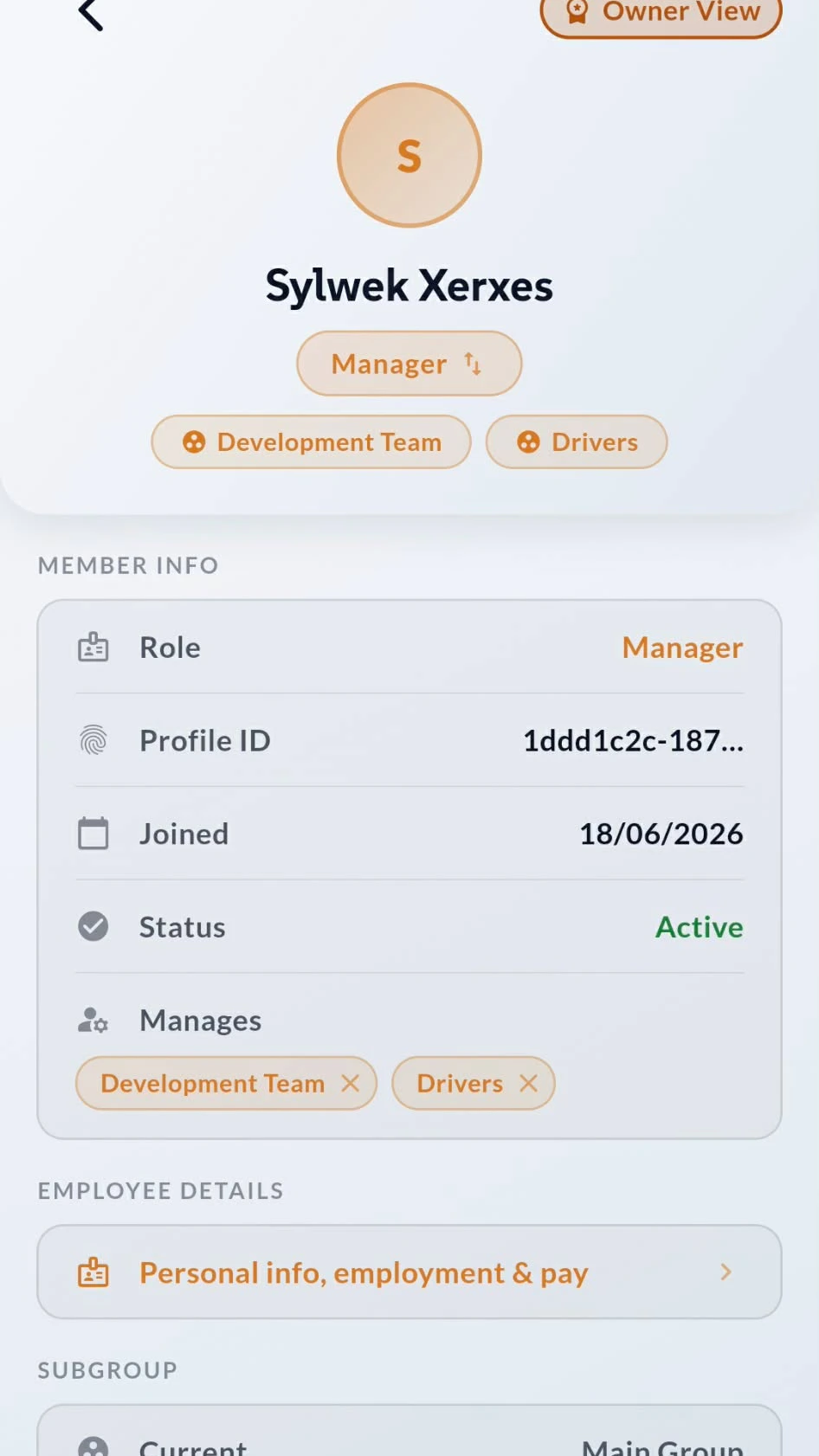
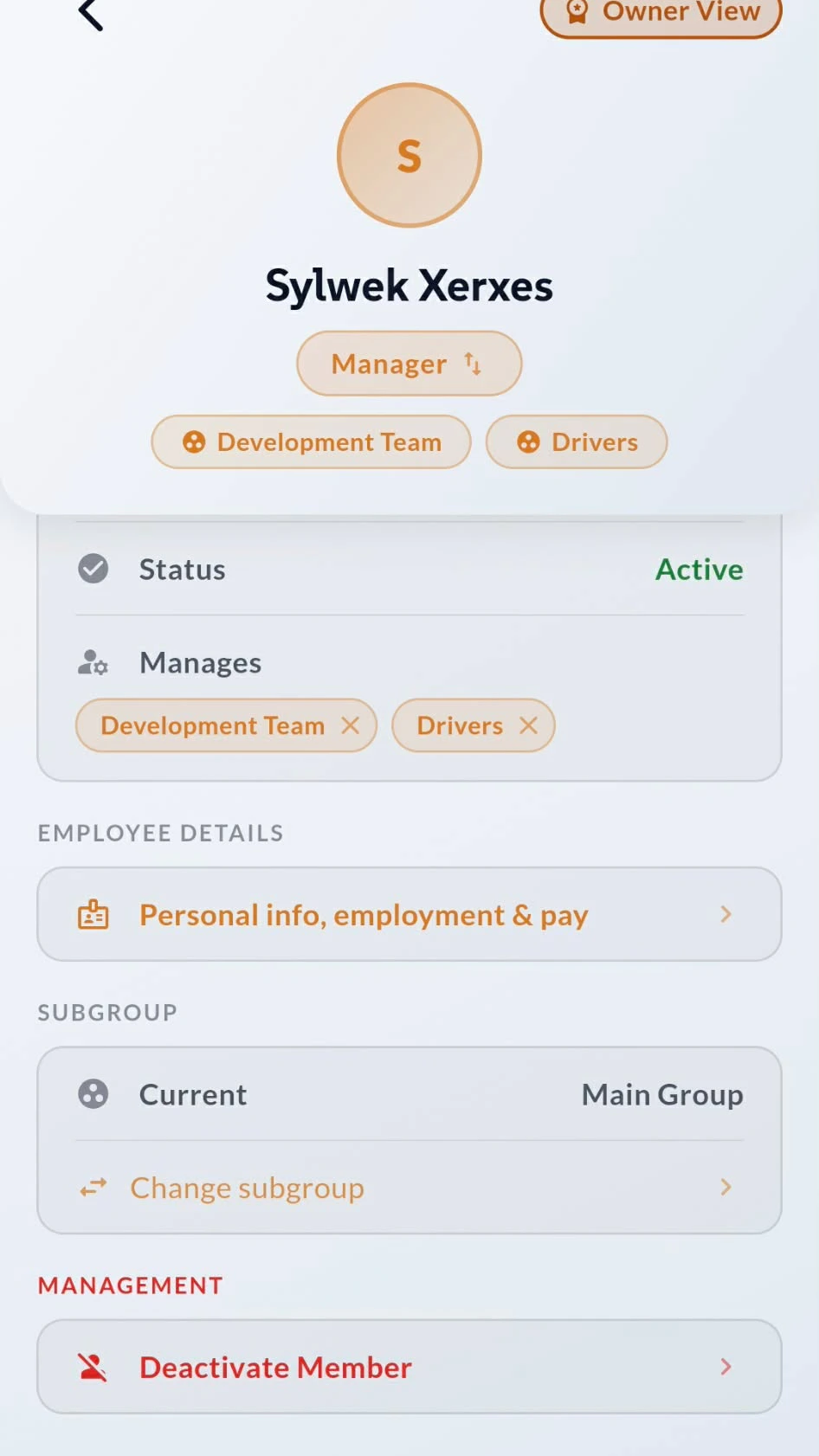
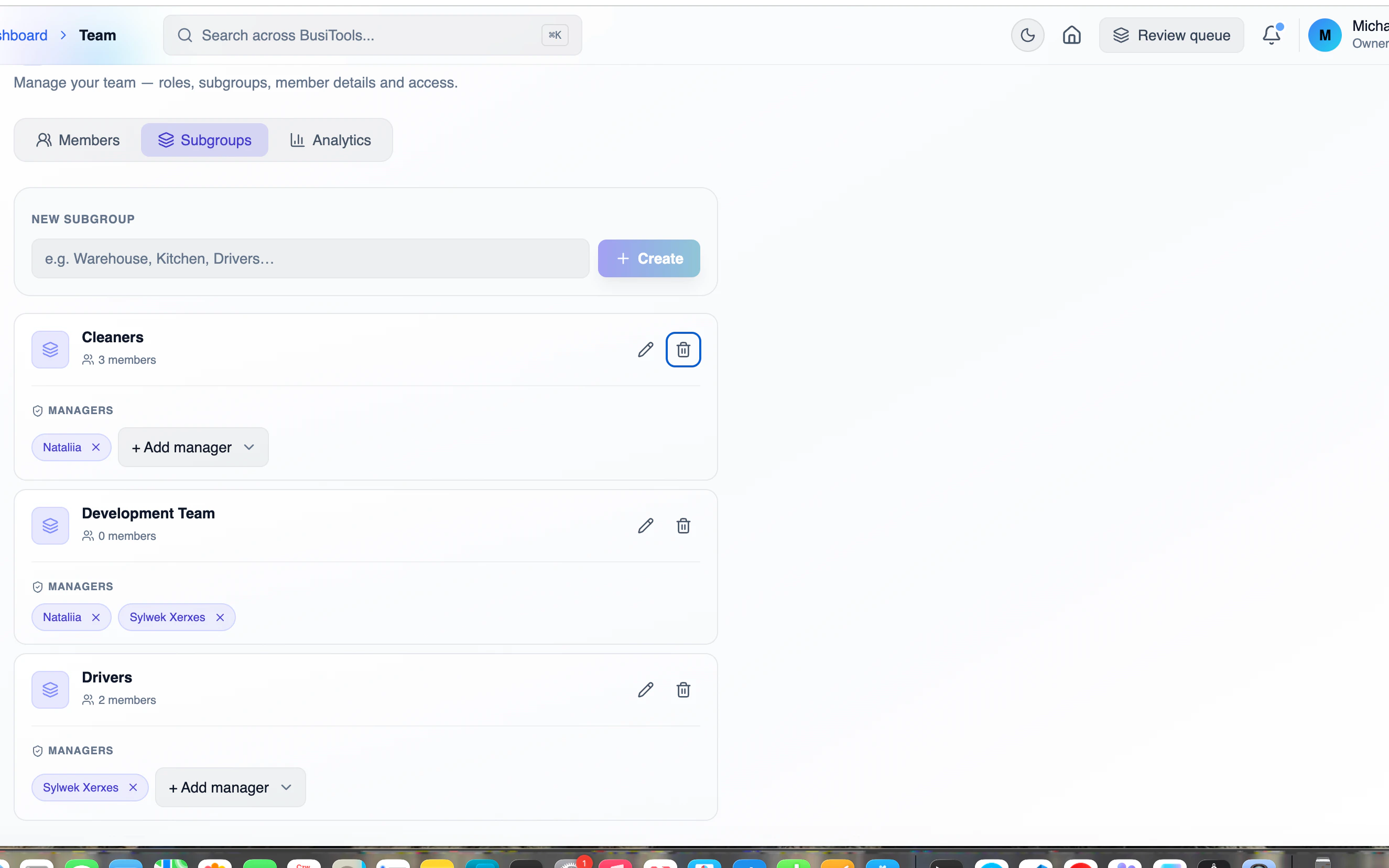
Open any member and you get everything the business needs to know about them: their role, when they joined, whether they're active, and which groups they manage. Change someone from Member to Manager, or add and remove the teams they oversee, with a tap. Deeper down sit the employee details — personal info, employment and pay — plus subgroup assignment and the option to deactivate someone who's left. Owner View gates the sensitive parts, so managers see what they need and no more.
Change roles and details in seconds
Promote, demote and keep employee records current — from your phone
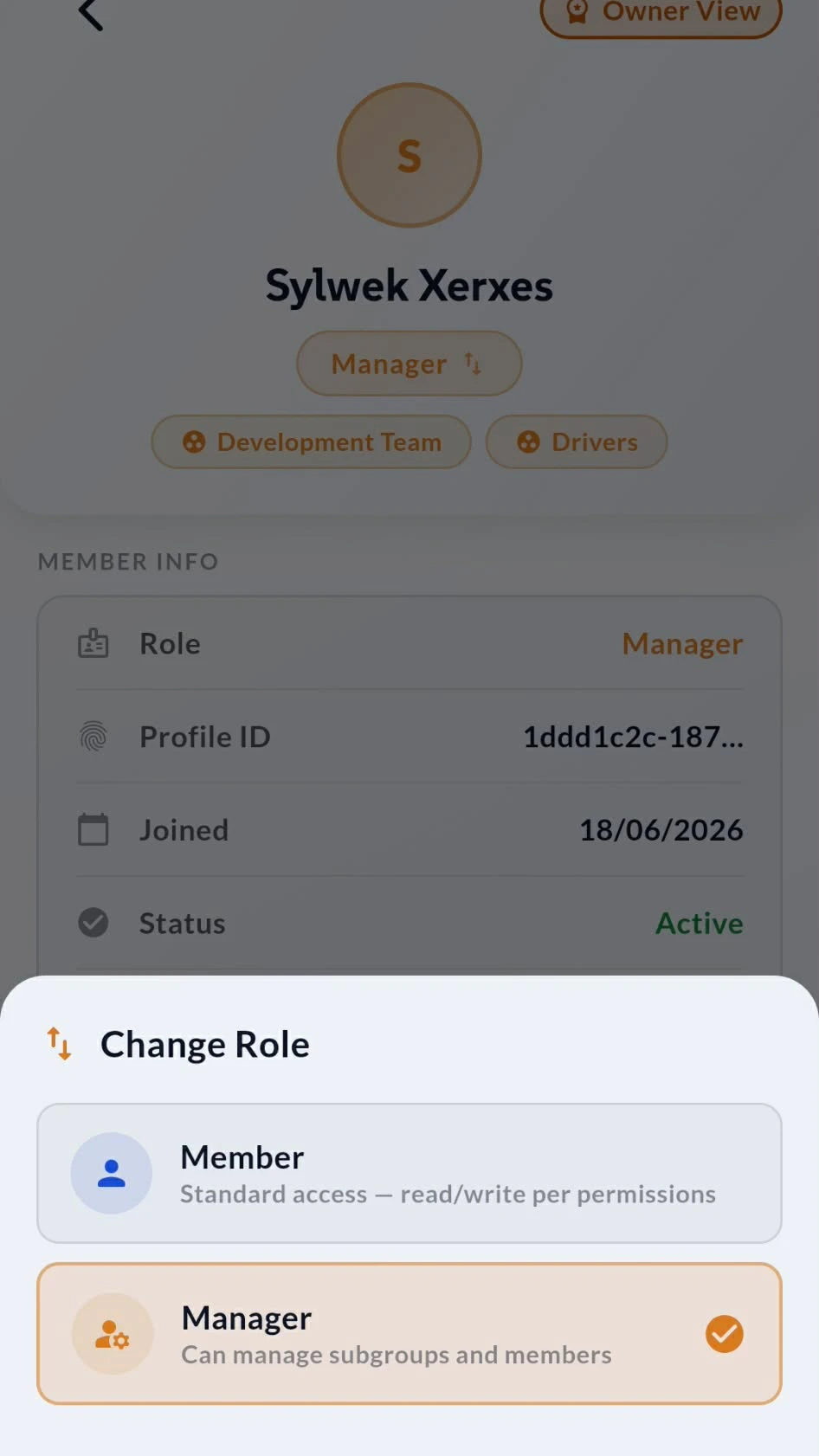
Tap the role badge and a sheet slides up: Member for standard access, Manager for people who need to run subgroups and other members. Switch either way at any time, and permissions update everywhere instantly — no re-invite, no admin console.
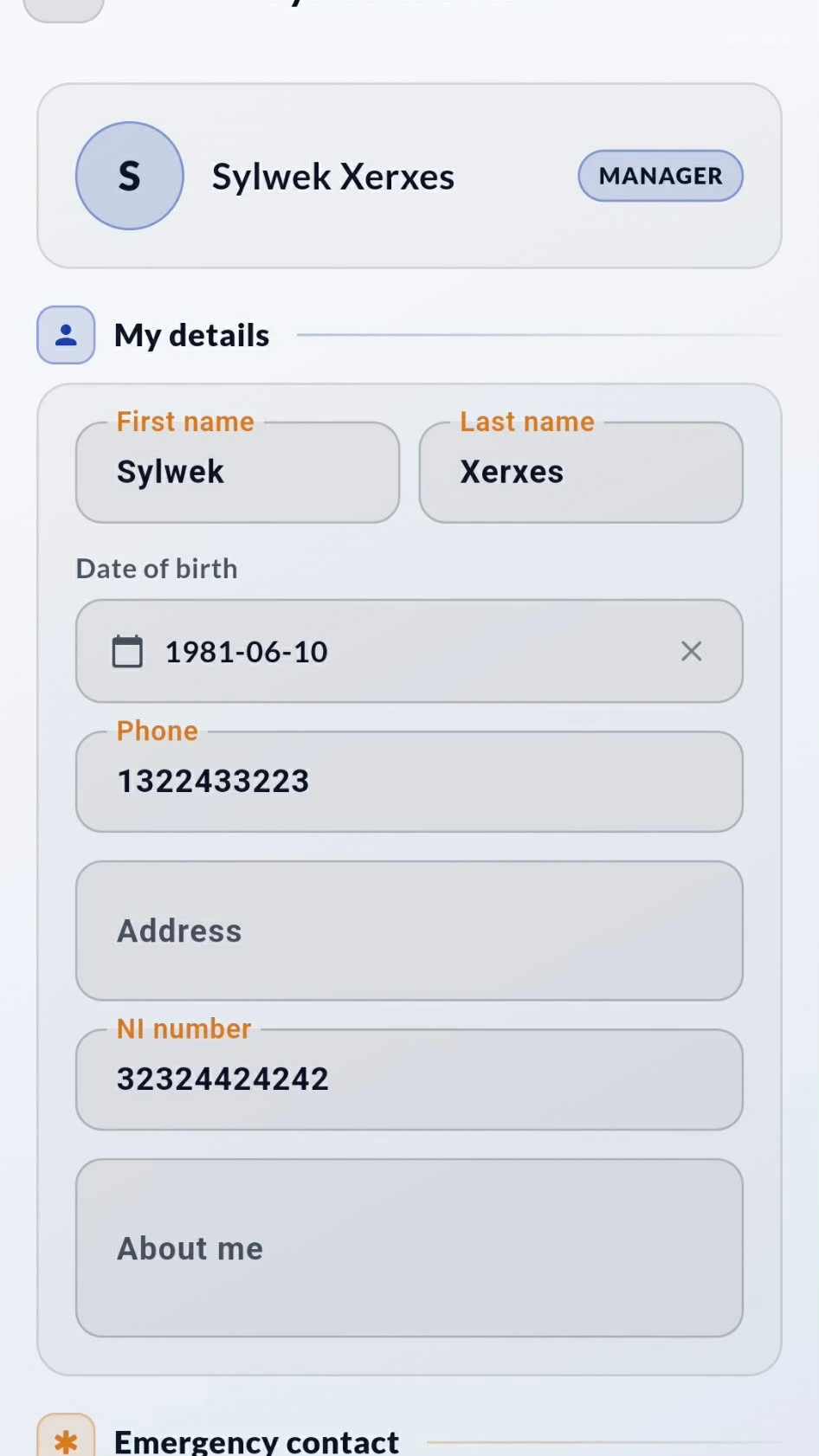
The employee record sits alongside it. Name, date of birth, phone, address, NI number, about-me and emergency contact — the details you actually need for payroll, rotas and getting hold of someone in a hurry. Edit once and every part of BusiTools sees the change.
How the desktop app works
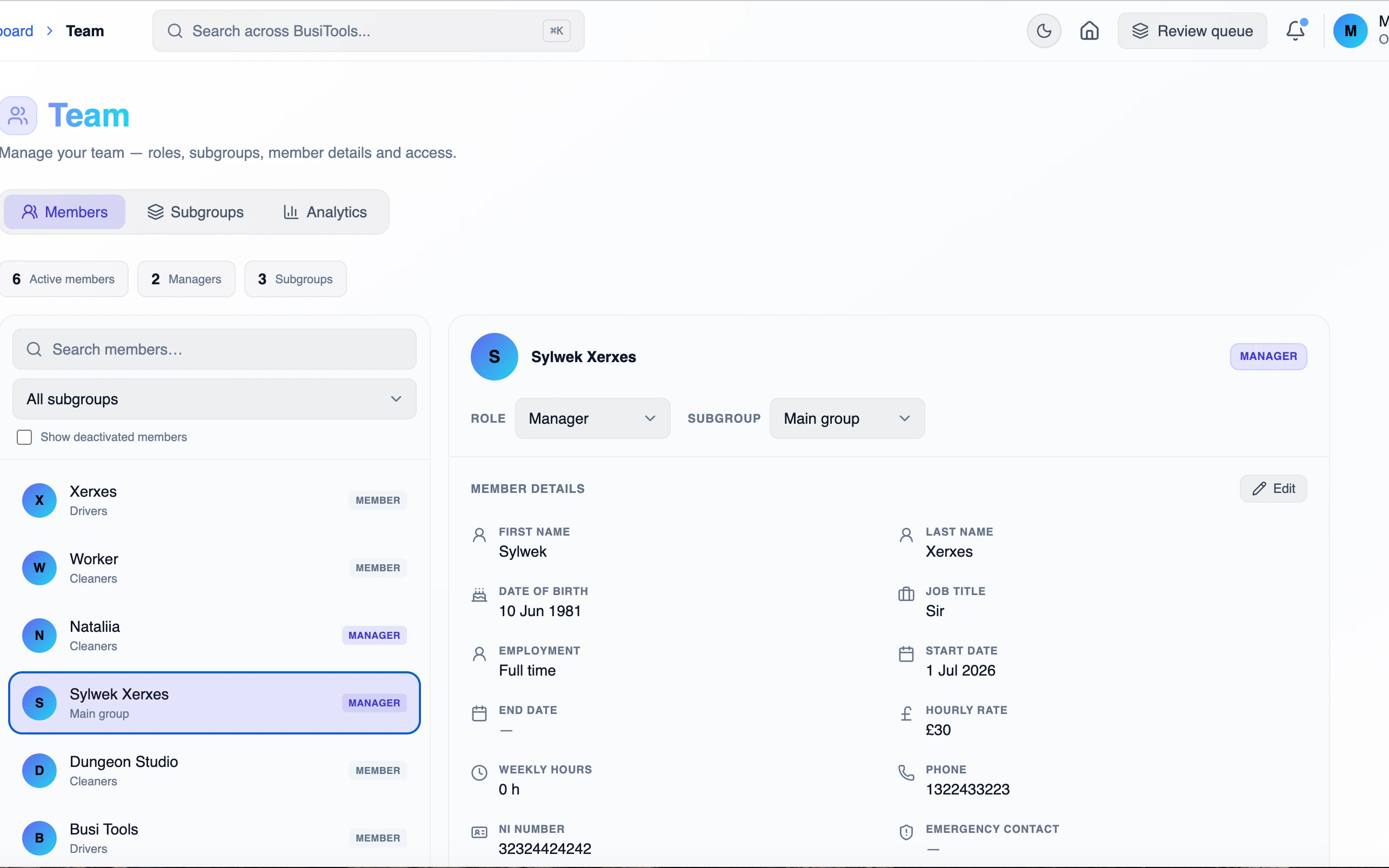
Same team, same data — but with room to work. On desktop the Team page puts the member list and the full record side by side, so you can move through six people or sixty without losing your place. Everything you change here is live on everyone's phone before you've clicked away.
1Members list and record, side by side
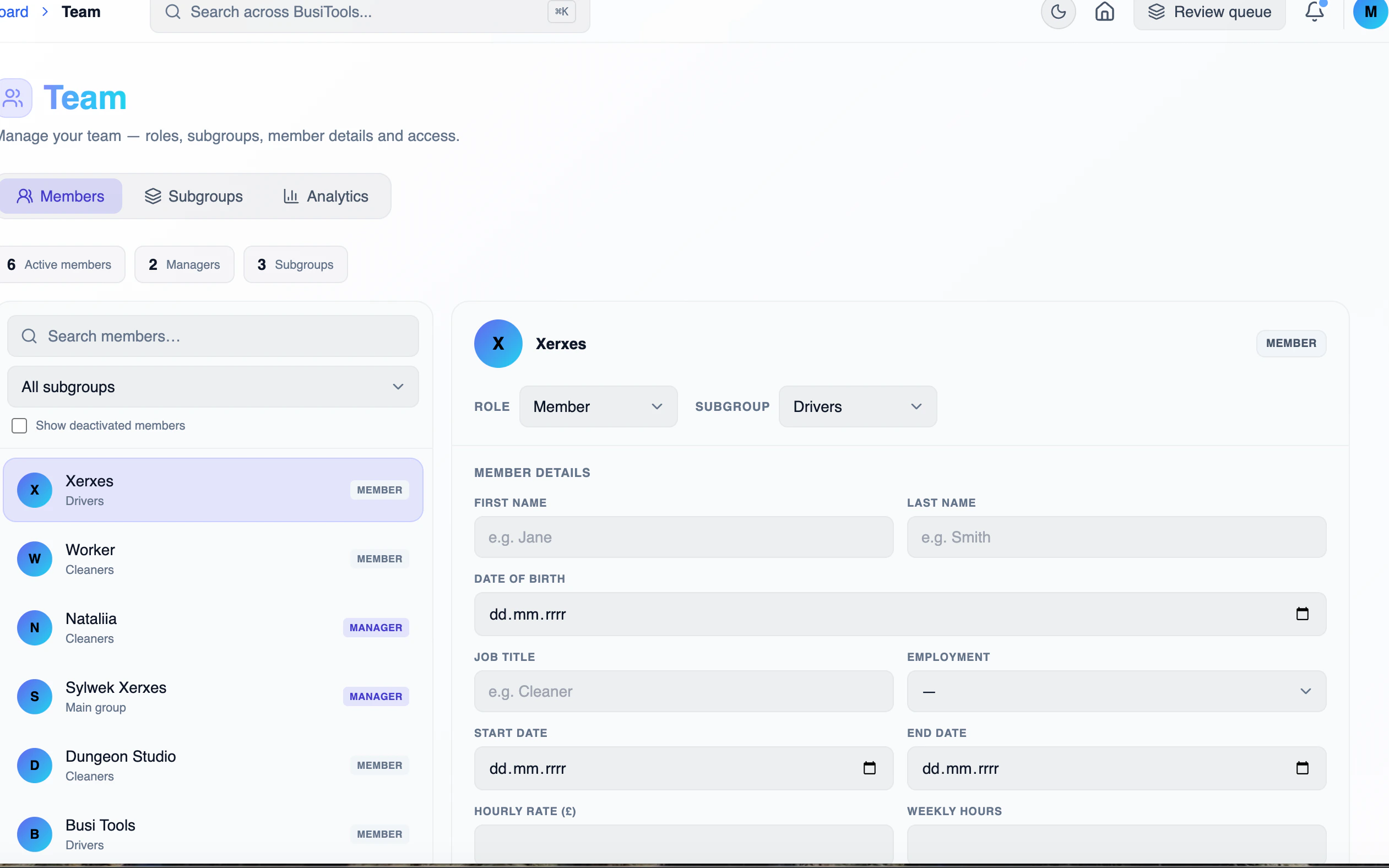
Pick anyone on the left, their full record opens on the right. Filter by subgroup, search by name, and change role or subgroup straight from the dropdowns.
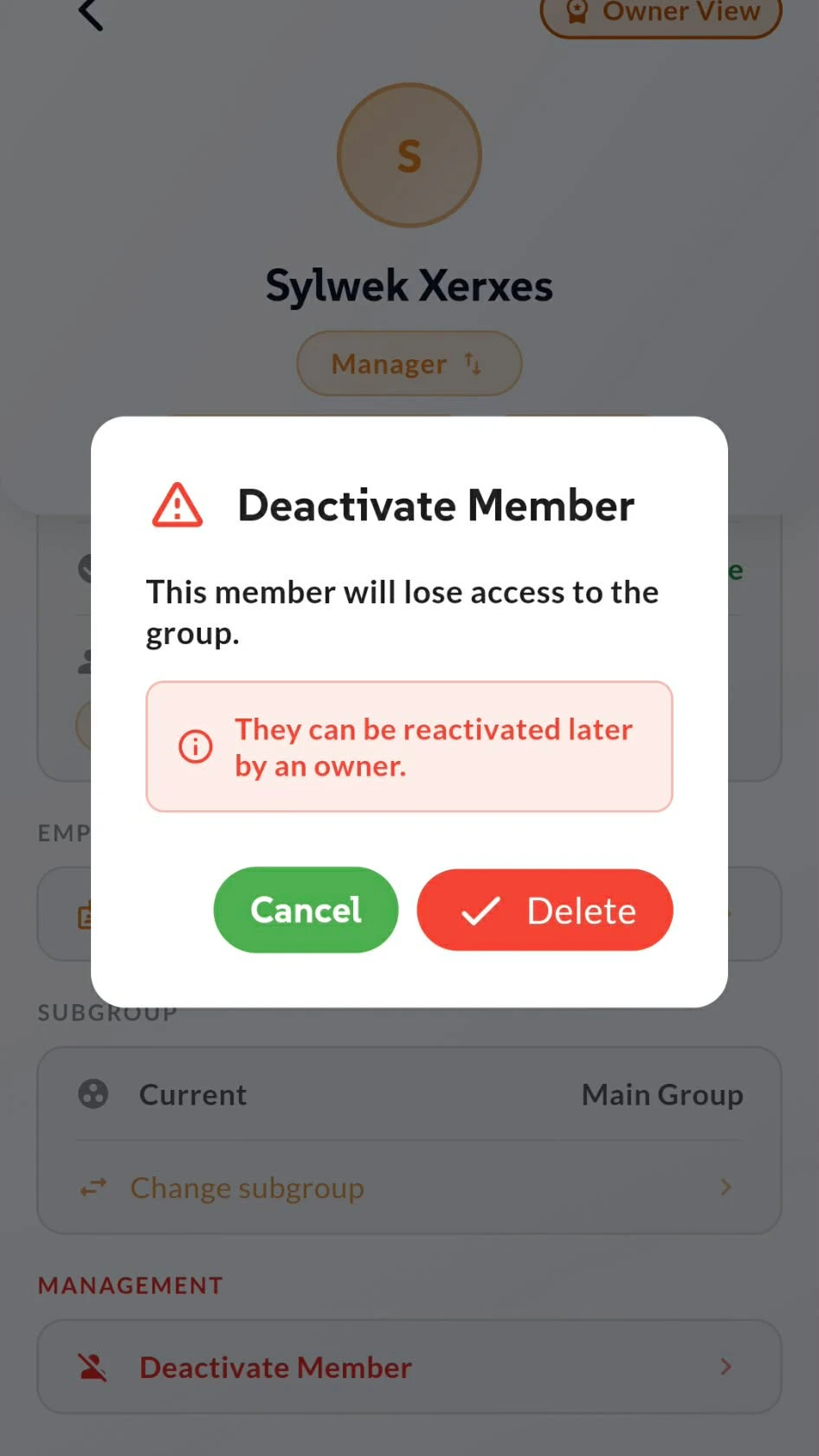
People leave. Their data doesn't have to.
Deactivate access without losing the record
When someone moves on, deactivating them cuts their access to the group immediately — no tasks, no data, no sync. Their history stays intact, so completed work and past records still add up in your reports.
Nothing here is final. An owner can reactivate a member later, so seasonal staff and returning workers don't need to be set up from scratch. And only owners can do it, so no one deactivates a colleague by accident.